Scenes / agents / window-stack
Agent in every tool
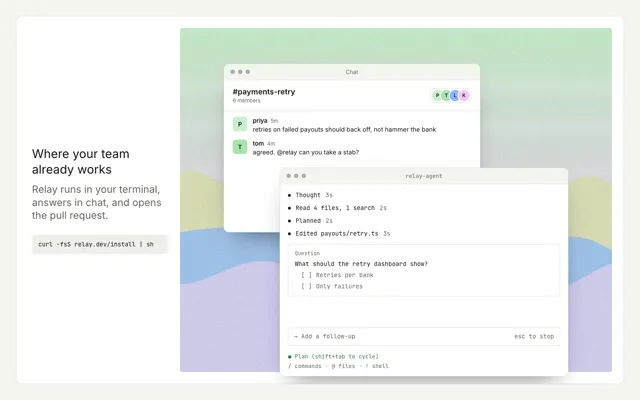
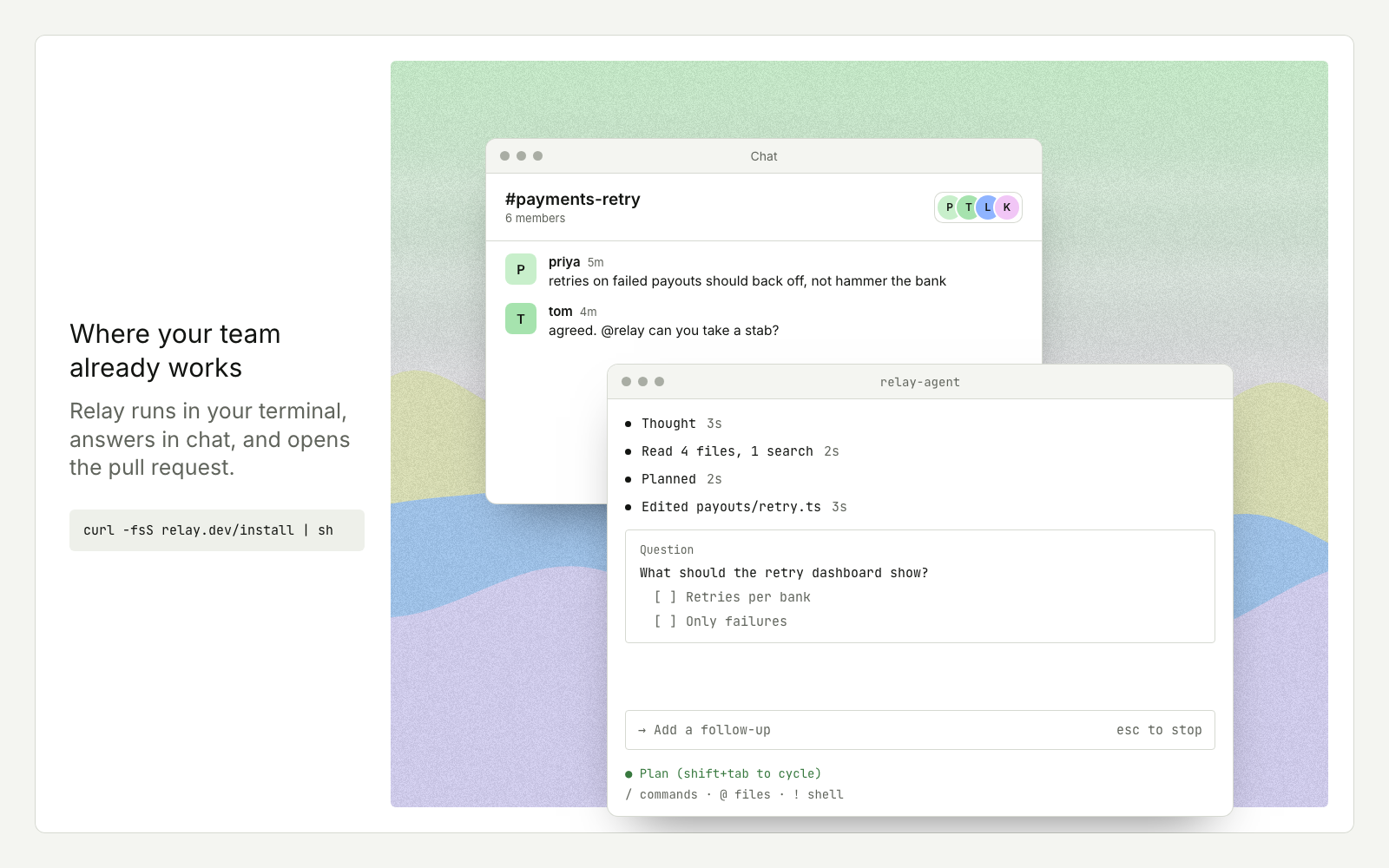
App windows over a painted backdrop while an agent does the steps in every tool.
Drawn in Soft UI · follows any look See the matched set →
With Claude Code
With the skill installed, paste this in your project.
Use the site-motion skill to make the "window-stack" scene for our site, in our brand.
Read our design tokens from this project (or run `site-motion theme <our url>`), write the content JSON with our real product nouns and numbers, then render mp4, webm and a poster. Check the loop seam before you finish.
From the command line
Draft your tokens, then copy the scene into your project. The first scene you add sets your site's look; every scene after it follows.
node bin/site-motion.mjs theme https://yoursite.com --out brand.json
node bin/site-motion.mjs add window-stack --tokens brand.json
Your brand, as tokens
The theme playing above, as a token file the CLI and the skill accept.
content.json, the words in this scene
{
  "title": "Agent in every tool",
  "label": "A chat window where a teammate asks the coding agent for a change; the agent's terminal window slides in over it, reads files and plans with live timers, asks which data to show, and the agent replies in chat with a pull request.",
  "seed": 11,
  "legible": false,
  "copy": {
    "title": "Where your team already works",
    "body": "Relay runs in your terminal, answers in chat, and opens the pull request.",
    "code": "curl -fsS relay.dev/install | sh"
  },
  "chat": {
    "app": "Chat",
    "channel": "#payments-retry",
    "members": "6 members",
    "people": [
      {
        "name": "priya"
      },
      {
        "name": "tom"
      },
      {
        "name": "lena"
      },
      {
        "name": "kai"
      }
    ],
    "messages": [
      {
        "from": "priya",
        "ago": "5m",
        "at": 0.6,
        "text": "retries on failed payouts should back off, not hammer the bank"
      },
      {
        "from": "tom",
        "ago": "4m",
        "at": 1.4,
        "text": "agreed. @relay can you take a stab?"
      },
      {
        "from": "relay",
        "ago": "now",
        "at": 11.2,
        "bot": true,
        "text": "Added exponential backoff with jitter and a retry dashboard.",
        "button": "View PR"
      }
    ]
  },
  "agent": {
    "title": "relay-agent",
    "steps": [
      {
        "text": "Thought",
        "secs": 3
      },
      {
        "text": "Read 4 files, 1 search",
        "secs": 2
      },
      {
        "text": "Planned",
        "secs": 2
      },
      {
        "text": "Edited payouts/retry.ts",
        "secs": 3
      }
    ],
    "question": {
      "text": "What should the retry dashboard show?",
      "options": [
        "Retries per bank",
        "Only failures"
      ],
      "pick": 0
    },
    "status": "Writing tests",
    "mode": "Plan (shift+tab to cycle)",
    "model": "/ commands · @ files · ! shell"
  }
}
Files
default themeRendered frame-exact. For your brand, run the command on the left.
embed snippet
<iframe src="/window-stack.html" title="Agent in every tool" style="width:100%;aspect-ratio:16/9;border:0" loading="lazy"></iframe>
Related scenes
all scenes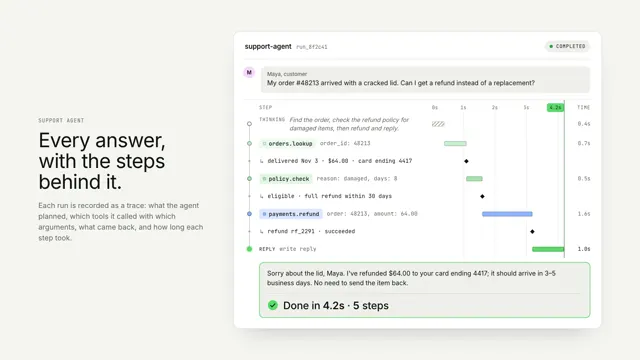
An agent run, traced
One agent run as a vertical trace: thinking, tool calls and results on a shared time axis, resolving into the answer.
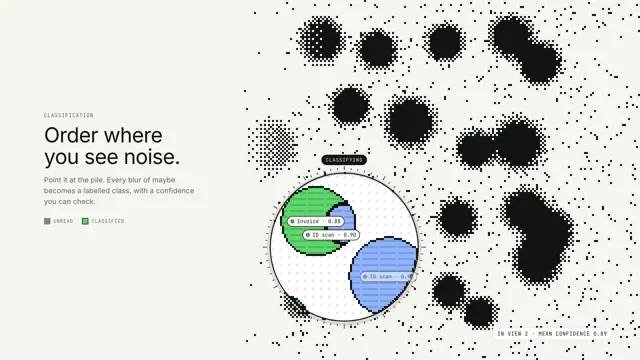
Order where you see noise
A lens drifts over a dithered field of maybes; inside it, every blob is classified, outlined and labelled.
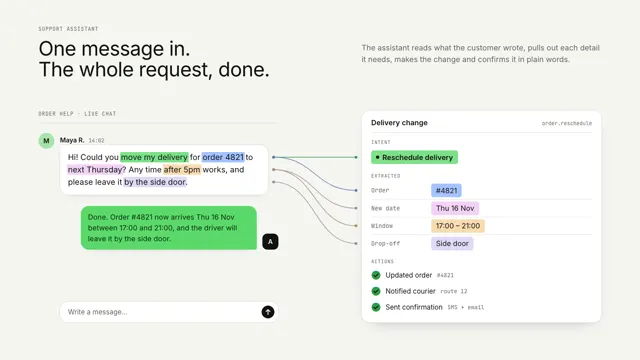
One message, turned into done work
A chat message's key phrases lift off and snap into a structured card, then the actions run and a reply comes back.