Scenes / trust / trust-rings / trust-rings--badges
Every control, audited and on record
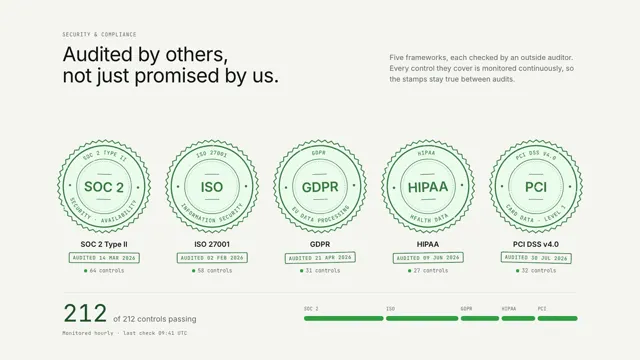
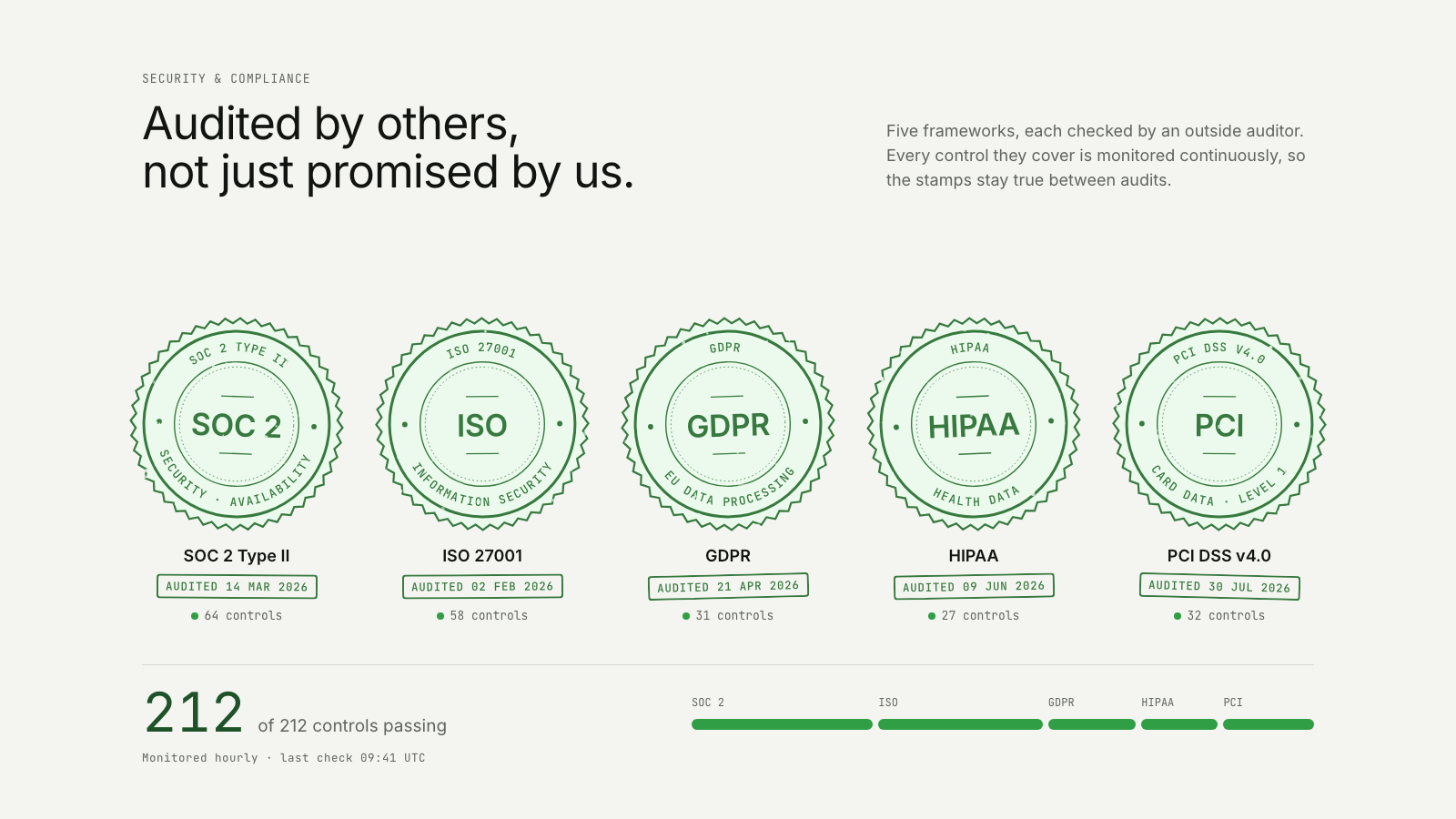
The control rings roll apart into a row of seals; a press stamps each framework with its audit date while the passing controls add up.
The trust take on Every request, checked in rings: same story, built for a different job on the page.
Drawn in Outline · follows any look See the matched set →
With Claude Code
With the skill installed, paste this in your project.
Use the site-motion skill to make the "trust-rings--badges" scene for our site, in our brand.
Read our design tokens from this project (or run `site-motion theme <our url>`), write the content JSON with our real product nouns and numbers, then render mp4, webm and a poster. Check the loop seam before you finish.
From the command line
Draft your tokens, then copy the scene into your project. The first scene you add sets your site's look; every scene after it follows.
node bin/site-motion.mjs theme https://yoursite.com --out brand.json
node bin/site-motion.mjs add trust-rings--badges --tokens brand.json
Your brand, as tokens
The theme playing above, as a token file the CLI and the skill accept.
content.json, the words in this scene
{
  "title": "Every control, audited and on record",
  "label": "Five concentric rings roll apart into a row of five empty seals. A press stamps each seal in turn, left to right: SOC 2 Type II, ISO 27001, GDPR, HIPAA and PCI DSS. Each impression is lettered with its framework and scope, and a dated audit stamp lands beneath it with the number of controls it covers. A status line counts the controls as each seal is stamped, from 0 to 212 of 212 controls passing, and its bar fills one segment per seal. The scene holds on the full row stamped.",
  "eyebrow": "Security & compliance",
  "heading": "Audited by others,\nnot just promised by us.",
  "sub": "Five frameworks, each checked by an outside auditor. Every control they cover is monitored continuously, so the stamps stay true between audits.",
  "seals": [
    {
      "name": "SOC 2 Type II",
      "mark": "SOC 2",
      "scope": "Security · Availability",
      "audited": "14 Mar 2026",
      "controls": 64
    },
    {
      "name": "ISO 27001",
      "mark": "ISO",
      "scope": "Information security",
      "audited": "02 Feb 2026",
      "controls": 58
    },
    {
      "name": "GDPR",
      "mark": "GDPR",
      "scope": "EU data processing",
      "audited": "21 Apr 2026",
      "controls": 31
    },
    {
      "name": "HIPAA",
      "mark": "HIPAA",
      "scope": "Health data",
      "audited": "09 Jun 2026",
      "controls": 27
    },
    {
      "name": "PCI DSS v4.0",
      "mark": "PCI",
      "scope": "Card data · Level 1",
      "audited": "30 Jul 2026",
      "controls": 32
    }
  ],
  "stamp": {
    "audited": "Audited",
    "controls": "controls"
  },
  "status": {
    "of": "of",
    "label": "controls passing",
    "note": "Monitored hourly · last check 09:41 UTC"
  }
}
Files
default themeRendered frame-exact. For your brand, run the command on the left.
embed snippet
<iframe src="/trust-rings--badges.html" title="Every control, audited and on record" style="width:100%;aspect-ratio:16/9;border:0" loading="lazy"></iframe>
More ways to show this
the same story, one per job on the page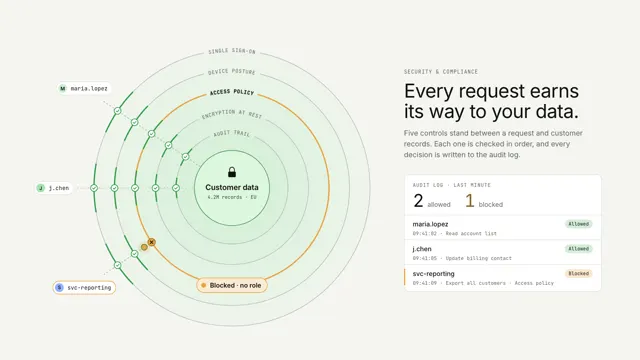
Related scenes
all scenes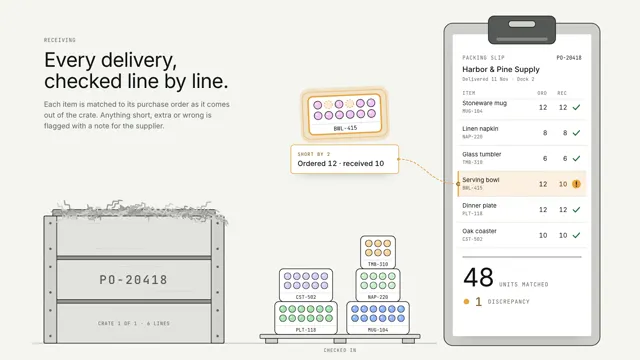
Crate discrepancy
Trays lift out of a delivery crate one by one and tick off their line on the packing slip; the one that came up short glows amber and floats up with its note.
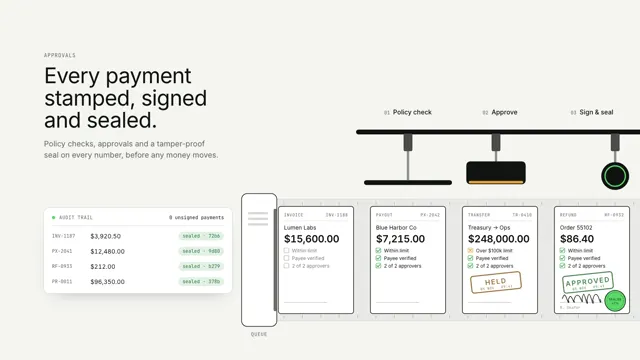
Ledger stamp
Payments are checked, stamped, signed and sealed on an indexed belt; one over the limit is held for a second approver.
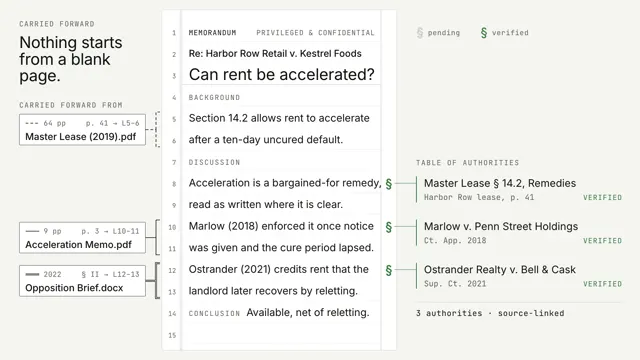
Margin rails
A memo writes itself on pleading paper while passages carried forward from past matters slide in on margin rails that name their source; every § commits from pending to verified.