Every request, checked in rings
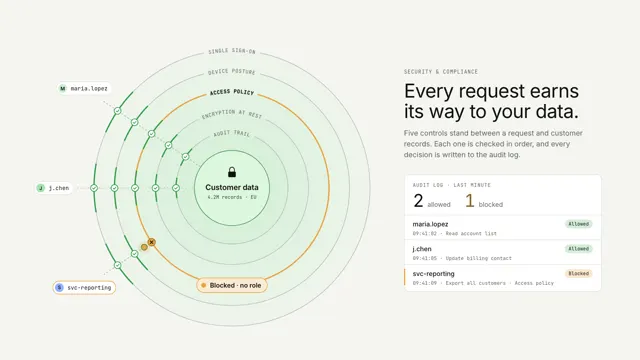
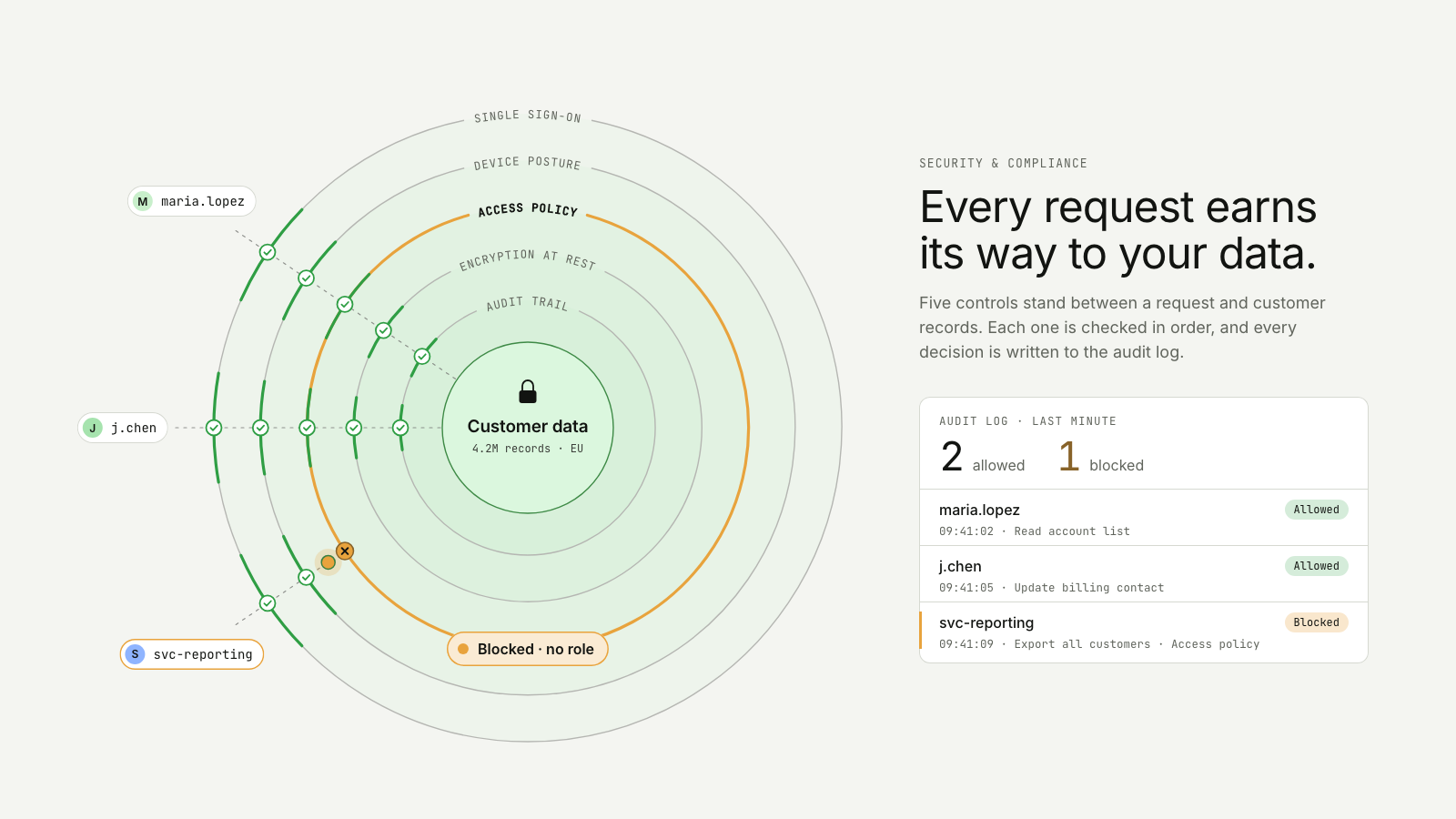
Requests pass concentric control rings around the data; the unauthorised one is stopped as its ring closes, and every decision is logged.
Drawn in Outline · follows any look See the matched set →
With Claude Code
With the skill installed, paste this in your project.
Use the site-motion skill to make the "trust-rings" scene for our site, in our brand.
Read our design tokens from this project (or run `site-motion theme <our url>`), write the content JSON with our real product nouns and numbers, then render mp4, webm and a poster. Check the loop seam before you finish.
From the command line
Draft your tokens, then copy the scene into your project. The first scene you add sets your site's look; every scene after it follows.
node bin/site-motion.mjs theme https://yoursite.com --out brand.json
node bin/site-motion.mjs add trust-rings --tokens brand.json
Your brand, as tokens
The theme playing above, as a token file the CLI and the skill accept.
content.json, the words in this scene
{
  "title": "Every request, checked in rings",
  "label": "Customer data sits at the centre of five concentric rings, one for each control: single sign-on, device posture, access policy, encryption at rest and the audit trail. Requests travel in from outside. At each ring a request pauses, a chip shows the check it passed and the ring segment lights. Two requests reach the data. A third, from a reporting service, is stopped at the access policy ring, which closes all the way round with the chip Blocked, no role. Every decision lands in the audit log beside the rings, which counts 2 allowed and 1 blocked.",
  "eyebrow": "Security & compliance",
  "heading": "Every request earns\nits way to your data.",
  "sub": "Five controls stand between a request and customer records. Each one is checked in order, and every decision is written to the audit log.",
  "asset": {
    "name": "Customer data",
    "detail": "4.2M records · EU"
  },
  "rings": [
    {
      "name": "Single sign-on",
      "short": "SSO",
      "pass": "verified"
    },
    {
      "name": "Device posture",
      "short": "Device",
      "pass": "managed"
    },
    {
      "name": "Access policy",
      "short": "Policy",
      "pass": "role: analyst"
    },
    {
      "name": "Encryption at rest",
      "short": "Keys",
      "pass": "AES-256"
    },
    {
      "name": "Audit trail",
      "short": "Audit",
      "pass": "recorded"
    }
  ],
  "requests": [
    {
      "who": "maria.lopez",
      "action": "Read account list",
      "time": "09:41:02"
    },
    {
      "who": "j.chen",
      "action": "Update billing contact",
      "time": "09:41:05"
    },
    {
      "who": "svc-reporting",
      "action": "Export all customers",
      "time": "09:41:09",
      "blockedAt": "Access policy",
      "reason": "no role"
    }
  ],
  "log": {
    "title": "Audit log · last minute",
    "allowed": "allowed",
    "blocked": "blocked",
    "allowedBadge": "Allowed",
    "blockedBadge": "Blocked"
  }
}
Files
default themeRendered frame-exact. For your brand, run the command on the left.
embed snippet
<iframe src="/trust-rings.html" title="Every request, checked in rings" style="width:100%;aspect-ratio:16/9;border:0" loading="lazy"></iframe>
More ways to show this
the same story, one per job on the page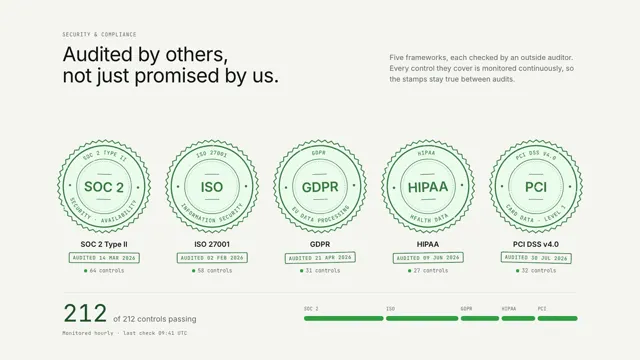
Related scenes
all scenes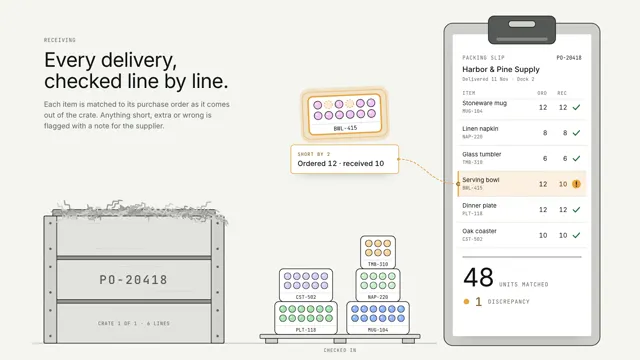
Crate discrepancy
Trays lift out of a delivery crate one by one and tick off their line on the packing slip; the one that came up short glows amber and floats up with its note.
Ledger stamp
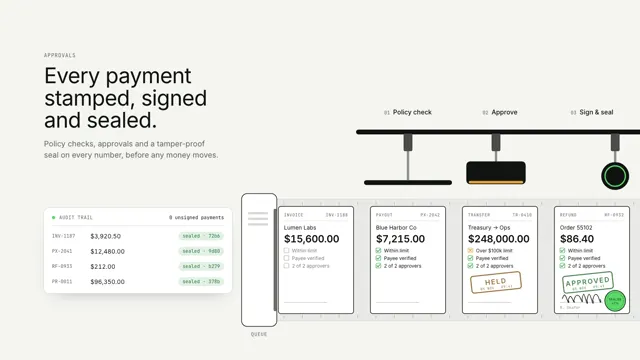
Payments are checked, stamped, signed and sealed on an indexed belt; one over the limit is held for a second approver.
Margin rails
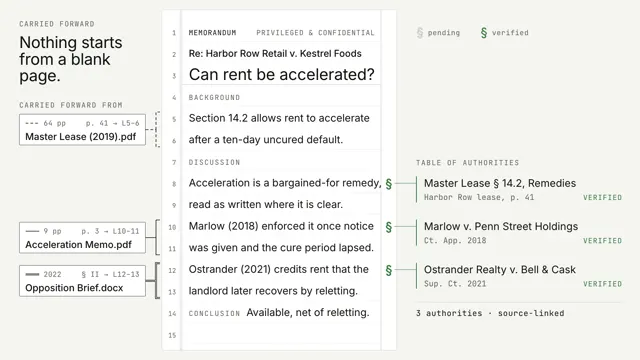
A memo writes itself on pleading paper while passages carried forward from past matters slide in on margin rails that name their source; every § commits from pending to verified.