Scenes / simplification / split-wipe
Before and after, one sweep
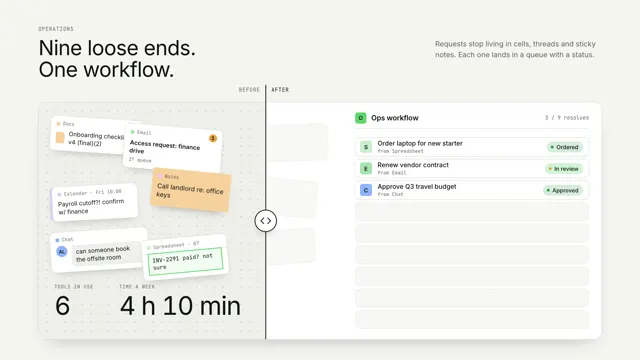
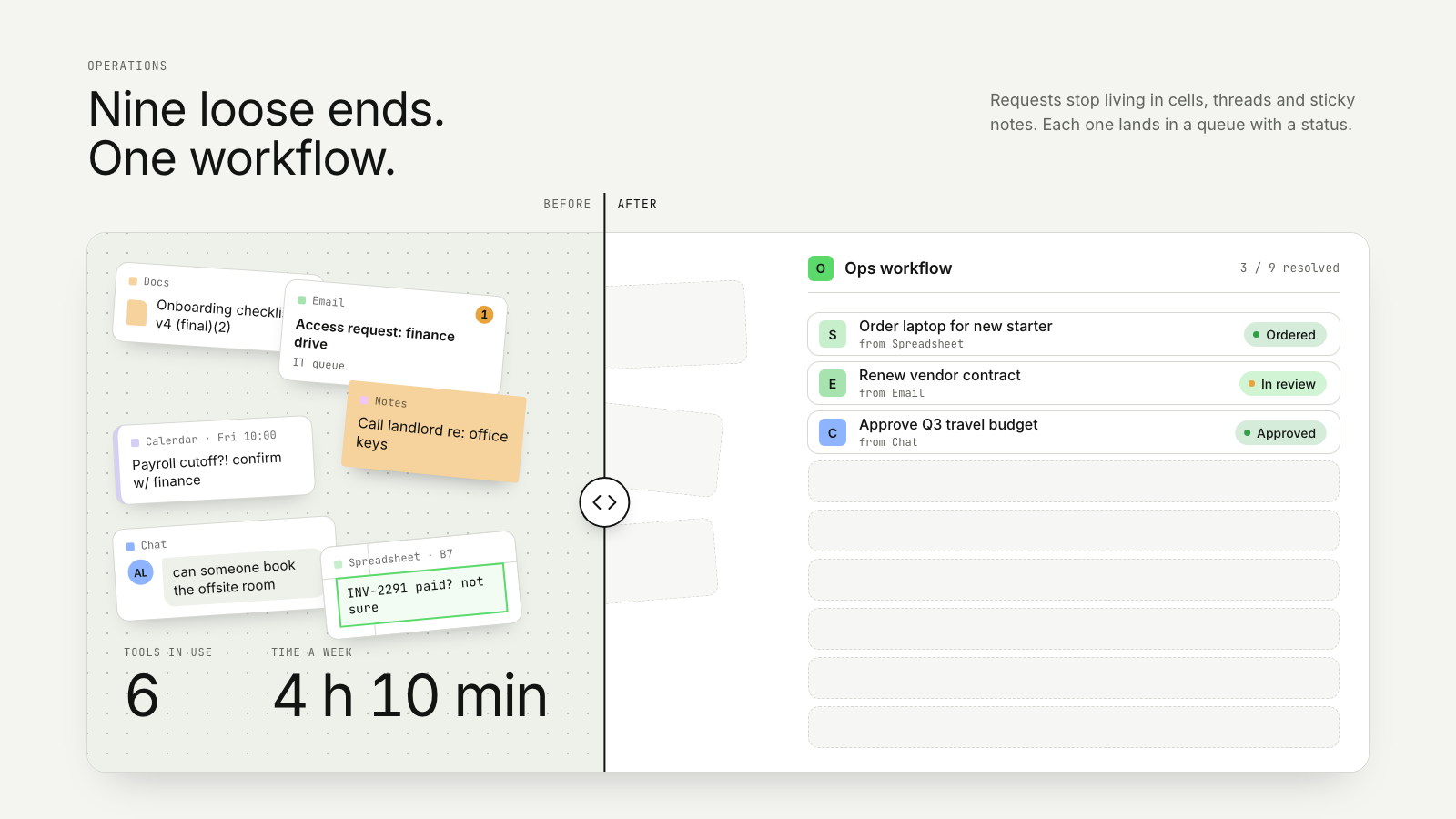
A before / after divider sweeps across scattered manual work, and every fragment snaps into its row in one product surface.
Drawn in Outline · follows any look See the matched set →
With Claude Code
With the skill installed, paste this in your project.
Use the site-motion skill to make the "split-wipe" scene for our site, in our brand.
Read our design tokens from this project (or run `site-motion theme <our url>`), write the content JSON with our real product nouns and numbers, then render mp4, webm and a poster. Check the loop seam before you finish.
From the command line
Draft your tokens, then copy the scene into your project. The first scene you add sets your site's look; every scene after it follows.
node bin/site-motion.mjs theme https://yoursite.com --out brand.json
node bin/site-motion.mjs add split-wipe --tokens brand.json
Your brand, as tokens
The theme playing above, as a token file the CLI and the skill accept.
content.json, the words in this scene
{
  "title": "Before and after, one sweep",
  "label": "A before and after slider. On the left of a vertical divider, nine loose requests are scattered across spreadsheet cells, email threads, chat messages, notes, a document and a calendar event, with a counter reading six tools and four hours ten minutes a week. The divider sweeps to the left edge; each fragment it reaches snaps into its own row in one ops workflow, with an owner-ready title and a resolved status, and the counter re-reads one tool and twelve minutes a week. Then the divider sweeps back.",
  "eyebrow": "Operations",
  "heading": "Nine loose ends.\nOne workflow.",
  "sub": "Requests stop living in cells, threads and sticky notes. Each one lands in a queue with a status.",
  "beforeLabel": "Before",
  "afterLabel": "After",
  "product": {
    "name": "Ops workflow",
    "mark": "O"
  },
  "doneLabel": "resolved",
  "fromLabel": "from",
  "counter": {
    "toolsLabel": "Tools in use",
    "timeLabel": "Time a week",
    "was": "was",
    "h": "h",
    "min": "min"
  },
  "items": [
    {
      "kind": "cell",
      "source": "Spreadsheet",
      "ref": "D14",
      "raw": "Laptop for new hire??",
      "title": "Order laptop for new starter",
      "status": "Ordered",
      "tone": "done",
      "before": 35,
      "after": 1
    },
    {
      "kind": "email",
      "source": "Email",
      "raw": "Re: Fwd: vendor contract renewal",
      "meta": "Finance team",
      "badge": 3,
      "title": "Renew vendor contract",
      "status": "In review",
      "tone": "active",
      "before": 30,
      "after": 2
    },
    {
      "kind": "message",
      "source": "Chat",
      "from": "PK",
      "raw": "who's approving the Q3 travel budget?",
      "title": "Approve Q3 travel budget",
      "status": "Approved",
      "tone": "done",
      "before": 25,
      "after": 1
    },
    {
      "kind": "note",
      "source": "Notes",
      "raw": "Call landlord re: office keys",
      "title": "Hand over office keys",
      "status": "Scheduled",
      "tone": "active",
      "before": 20,
      "after": 1
    },
    {
      "kind": "cell",
      "source": "Spreadsheet",
      "ref": "B7",
      "raw": "INV-2291 paid? not sure",
      "title": "Pay invoice INV-2291",
      "status": "Paid",
      "tone": "done",
      "before": 35,
      "after": 2
    },
    {
      "kind": "email",
      "source": "Email",
      "raw": "Access request: finance drive",
      "meta": "IT queue",
      "badge": 1,
      "title": "Grant finance drive access",
      "status": "Done",
      "tone": "done",
      "before": 20,
      "after": 1
    },
    {
      "kind": "message",
      "source": "Chat",
      "from": "AL",
      "raw": "can someone book the offsite room",
      "title": "Book the offsite room",
      "status": "Booked",
      "tone": "done",
      "before": 25,
      "after": 1
    },
    {
      "kind": "doc",
      "source": "Docs",
      "raw": "Onboarding checklist v4 (final)(2)",
      "title": "Update onboarding checklist",
      "status": "Assigned",
      "tone": "active",
      "before": 30,
      "after": 2
    },
    {
      "kind": "event",
      "source": "Calendar",
      "ref": "Fri 10:00",
      "raw": "Payroll cutoff?! confirm w/ finance",
      "title": "Confirm payroll cutoff",
      "status": "Confirmed",
      "tone": "done",
      "before": 30,
      "after": 1
    }
  ]
}
Files
default themeRendered frame-exact. For your brand, run the command on the left.
embed snippet
<iframe src="/split-wipe.html" title="Before and after, one sweep" style="width:100%;aspect-ratio:16/9;border:0" loading="lazy"></iframe>
More ways to show this
the same story, one per job on the page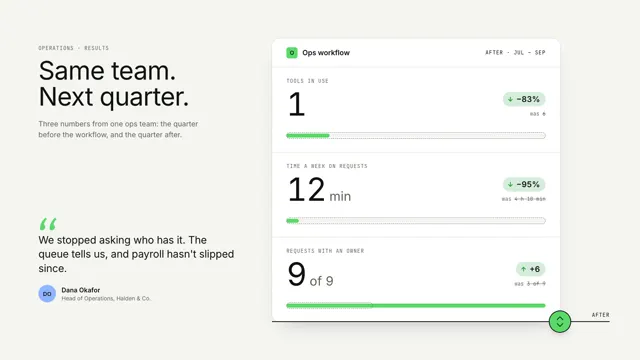
Related scenes
all scenes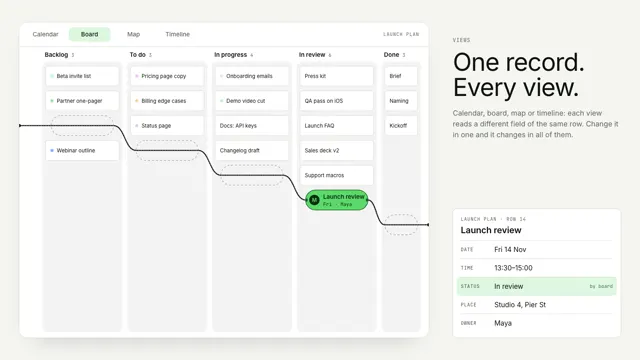
Bead views
One record stays still as a bead while its string re-threads the world around it: a calendar, a board, a street map and a timeline.
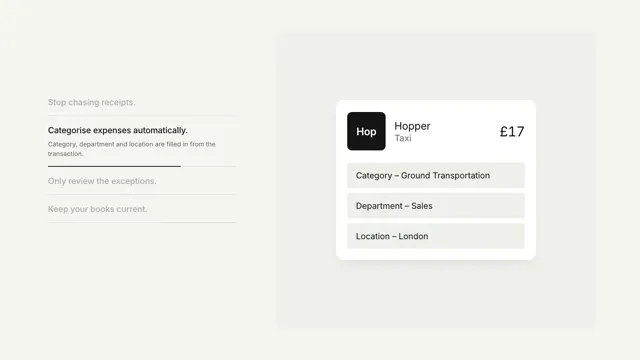
Expenses on autopilot
A feature list drives a product card through its states, removing a step each time.
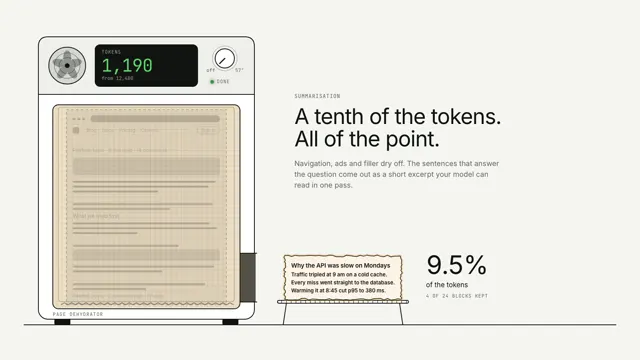
Summarisation: the page dehydrator
A whole web page is laid on a dehydrator tray; everything but the key sentences evaporates, the token counter falls by nine tenths, and a crisp excerpt slides out of the side.