Scenes / orchestration / score-sheet
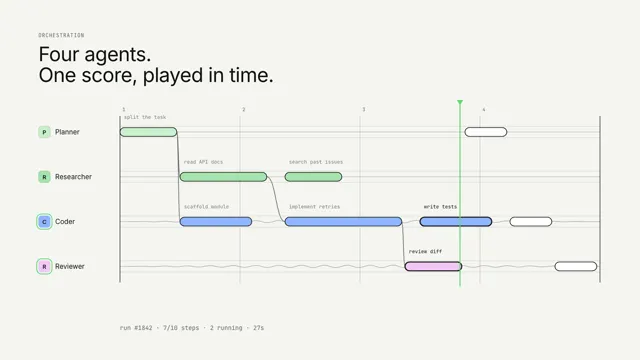
A run, as a score
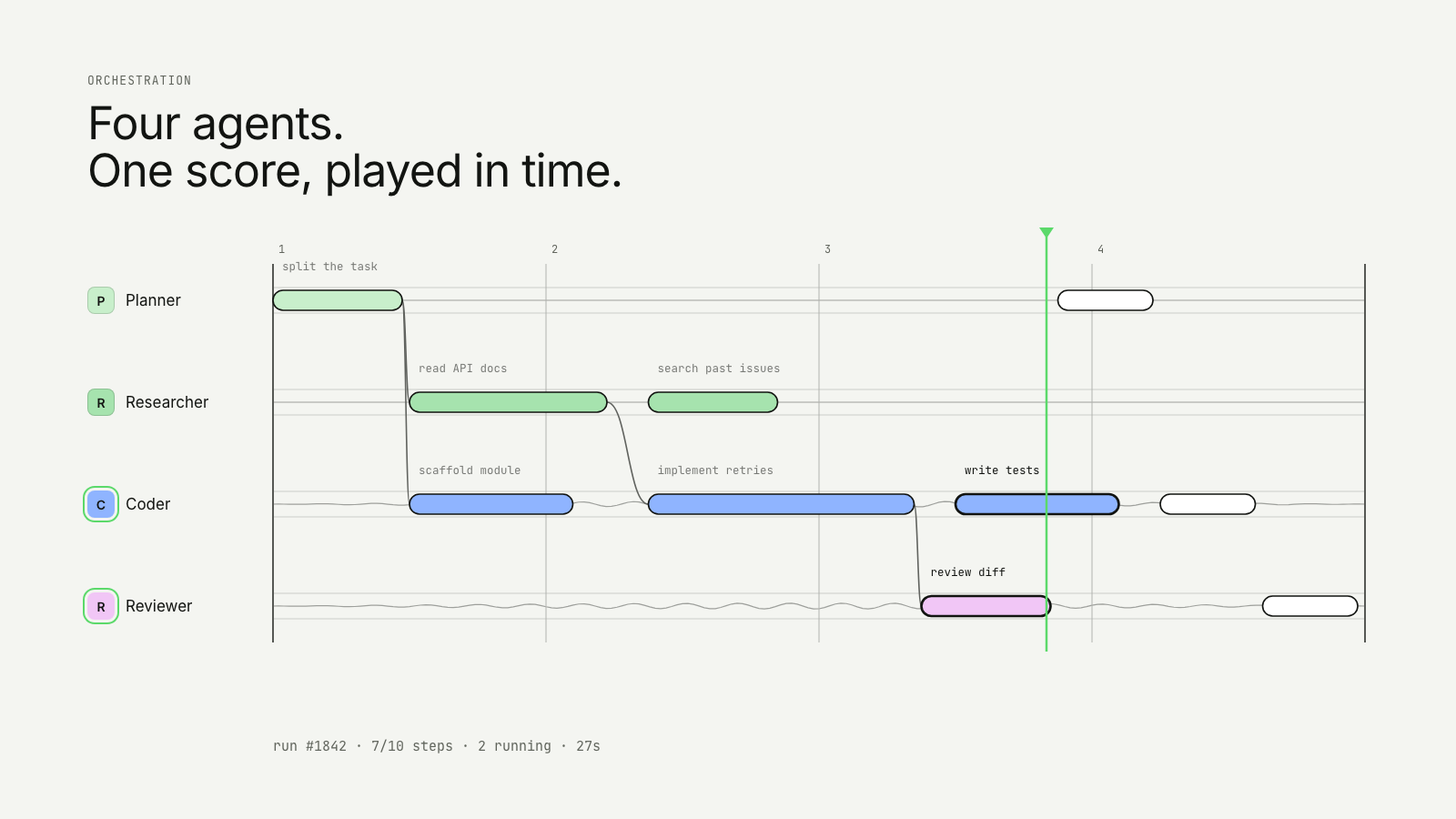
A multi-agent run written as a musical score; each stave vibrates while its agent works.
Drawn in Ink · follows any look See the matched set →
With Claude Code
With the skill installed, paste this in your project.
Use the site-motion skill to make the "score-sheet" scene for our site, in our brand.
Read our design tokens from this project (or run `site-motion theme <our url>`), write the content JSON with our real product nouns and numbers, then render mp4, webm and a poster. Check the loop seam before you finish.
From the command line
Draft your tokens, then copy the scene into your project. The first scene you add sets your site's look; every scene after it follows.
node bin/site-motion.mjs theme https://yoursite.com --out brand.json
node bin/site-motion.mjs add score-sheet --tokens brand.json
Your brand, as tokens
The theme playing above, as a token file the CLI and the skill accept.
content.json, the words in this scene
{
  "title": "A run, as a score",
  "label": "A multi-agent run written as a musical score. Four staves are the planner, researcher, coder and reviewer; notes are their steps, slurs show hand-offs, and a playhead plays the score so you can see which steps run in parallel.",
  "eyebrow": "Orchestration",
  "heading": "Four agents.\nOne score, played in time.",
  "beats": 16,
  "staves": [
    "Planner",
    "Researcher",
    "Coder",
    "Reviewer"
  ],
  "notes": [
    {
      "id": "plan",
      "stave": 0,
      "at": 0,
      "dur": 2,
      "label": "split the task"
    },
    {
      "id": "docs",
      "stave": 1,
      "at": 2,
      "dur": 3,
      "label": "read API docs",
      "after": [
        "plan"
      ]
    },
    {
      "id": "issues",
      "stave": 1,
      "at": 5.5,
      "dur": 2,
      "label": "search past issues"
    },
    {
      "id": "scaffold",
      "stave": 2,
      "at": 2,
      "dur": 2.5,
      "label": "scaffold module",
      "after": [
        "plan"
      ]
    },
    {
      "id": "impl",
      "stave": 2,
      "at": 5.5,
      "dur": 4,
      "label": "implement retries",
      "after": [
        "docs"
      ]
    },
    {
      "id": "tests",
      "stave": 2,
      "at": 10,
      "dur": 2.5,
      "label": "write tests"
    },
    {
      "id": "review1",
      "stave": 3,
      "at": 9.5,
      "dur": 2,
      "label": "review diff",
      "after": [
        "impl"
      ]
    },
    {
      "id": "replan",
      "stave": 0,
      "at": 11.5,
      "dur": 1.5,
      "label": "adjust plan",
      "after": [
        "review1"
      ]
    },
    {
      "id": "fix",
      "stave": 2,
      "at": 13,
      "dur": 1.5,
      "label": "fix edge case",
      "after": [
        "replan"
      ]
    },
    {
      "id": "approve",
      "stave": 3,
      "at": 14.5,
      "dur": 1.5,
      "label": "approve PR ✓",
      "after": [
        "fix",
        "tests"
      ]
    }
  ],
  "run": {
    "name": "run #1842",
    "seconds": 38
  },
  "legible": false
}
Files
default themeRendered frame-exact. For your brand, run the command on the left.
embed snippet
<iframe src="/score-sheet.html" title="A run, as a score" style="width:100%;aspect-ratio:16/9;border:0" loading="lazy"></iframe>
More ways to show this
the same story, one per job on the page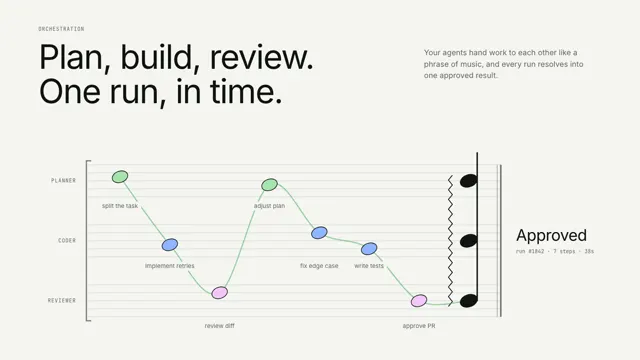
Related scenes
all scenes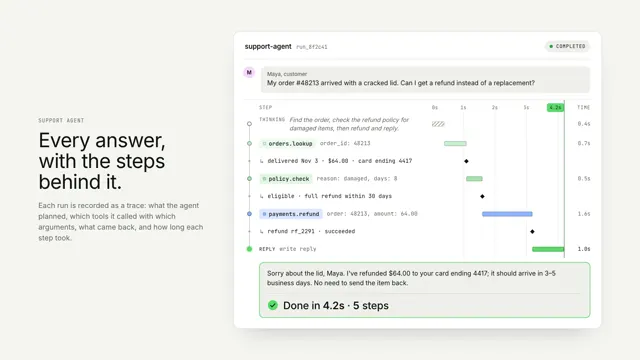
An agent run, traced
One agent run as a vertical trace: thinking, tool calls and results on a shared time axis, resolving into the answer.
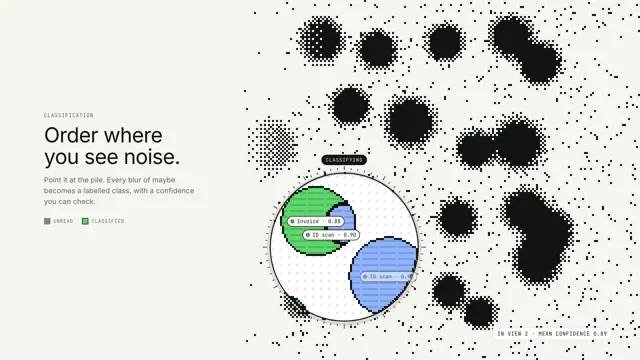
Order where you see noise
A lens drifts over a dithered field of maybes; inside it, every blob is classified, outlined and labelled.
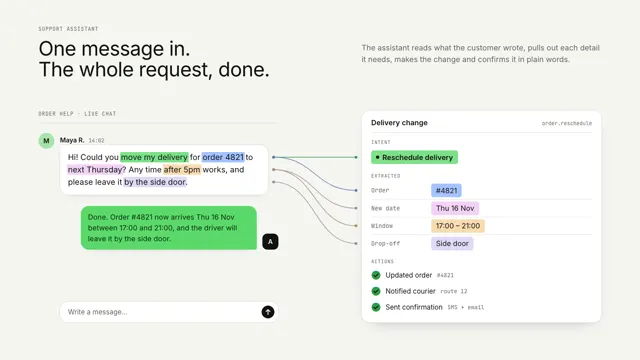
One message, turned into done work
A chat message's key phrases lift off and snap into a structured card, then the actions run and a reply comes back.