Scenes / memory / pigeonhole-wall
Pigeonhole wall
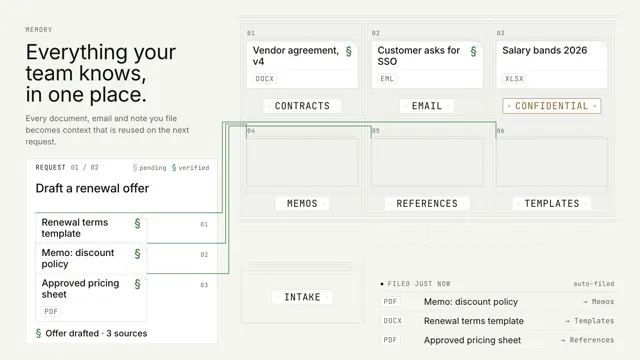
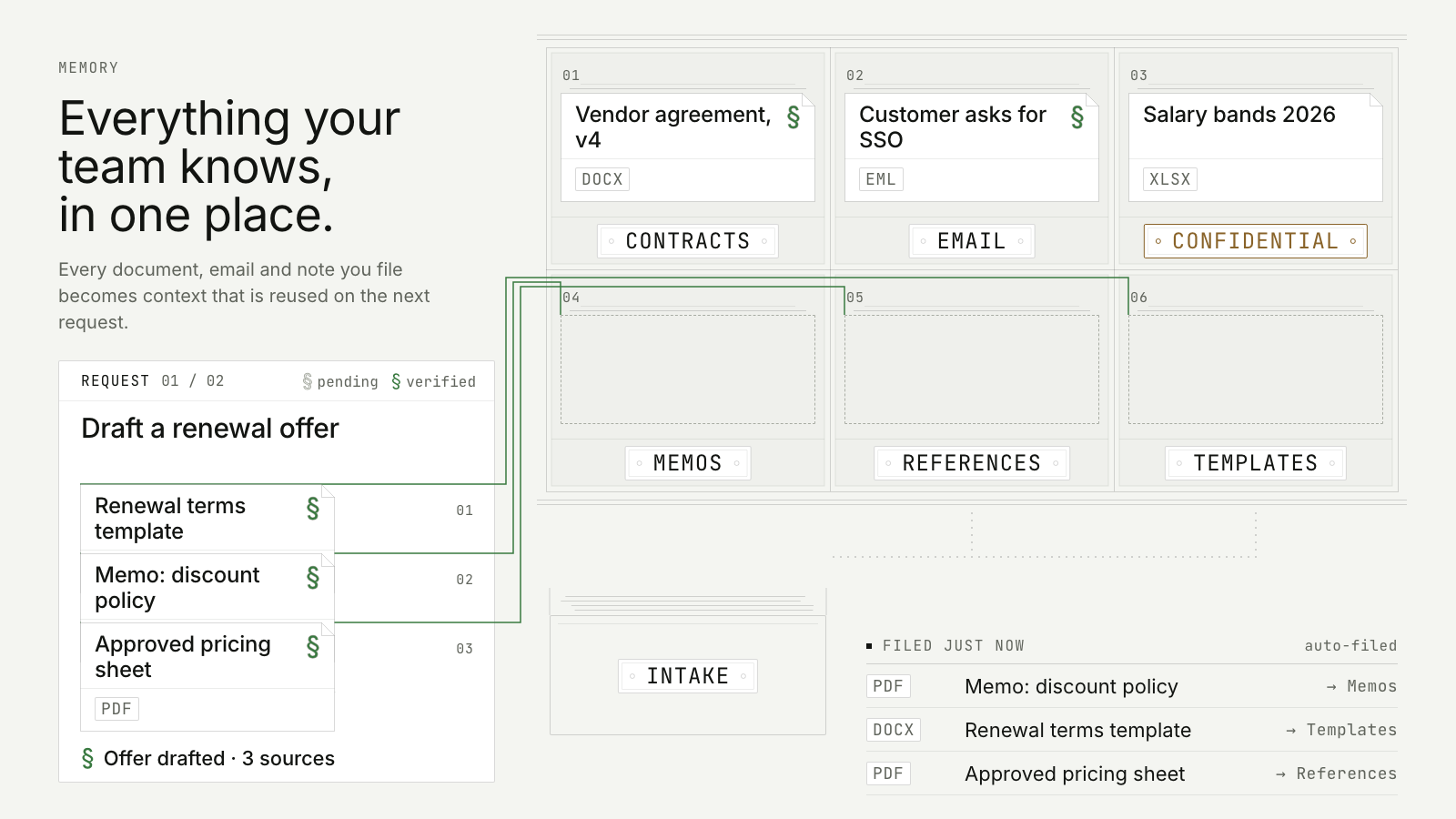
Documents travel from an intake tray into labelled pigeonholes; a request pulls the three it needs, each source mark commits from pending to verified, and they return to the wall.
Drawn in Ink · follows any look See the matched set →
With Claude Code
With the skill installed, paste this in your project.
Use the site-motion skill to make the "pigeonhole-wall" scene for our site, in our brand.
Read our design tokens from this project (or run `site-motion theme <our url>`), write the content JSON with our real product nouns and numbers, then render mp4, webm and a poster. Check the loop seam before you finish.
From the command line
Draft your tokens, then copy the scene into your project. The first scene you add sets your site's look; every scene after it follows.
node bin/site-motion.mjs theme https://yoursite.com --out brand.json
node bin/site-motion.mjs add pigeonhole-wall --tokens brand.json
Your brand, as tokens
The theme playing above, as a token file the CLI and the skill accept.
content.json, the words in this scene
{
  "title": "Pigeonhole wall",
  "label": "A wall of six labelled pigeonholes seen flat, in elevation, each showing its top document. Documents rise out of an intake tray, travel under the wall and up into the right pigeonhole, pushing the older item back. When a request arrives, the three items it needs travel out of their pigeonholes to the request, each tethered to its source by a hairline, and each source mark commits from pending to verified before the items return, leaving their titles in the request as its verified sources. A ledger lists the latest filings.",
  "eyebrow": "Memory",
  "heading": "Everything your team knows,\nin one place.",
  "sub": "Every document, email and note you file becomes context that is reused on the next request.",
  "showHeading": true,
  "cols": 3,
  "keep": 1,
  "intake": "Intake",
  "requestLabel": "Request",
  "idle": "Waiting for the next request",
  "legend": {
    "pending": "pending",
    "verified": "verified"
  },
  "feedTitle": "Filed just now",
  "feedStat": "auto-filed",
  "slots": [
    "Contracts",
    "Email",
    {
      "name": "Confidential",
      "tone": "redline"
    },
    "Memos",
    "References",
    "Templates"
  ],
  "items": [
    {
      "title": "Vendor agreement, v4",
      "type": "DOCX",
      "slot": "Contracts",
      "resident": true
    },
    {
      "title": "Customer asks for SSO",
      "type": "EML",
      "slot": "Email",
      "resident": true
    },
    {
      "title": "Salary bands 2026",
      "type": "XLSX",
      "slot": "Confidential",
      "resident": true
    },
    {
      "title": "Approved pricing sheet",
      "type": "PDF",
      "slot": "References"
    },
    {
      "title": "Renewal terms template",
      "type": "DOCX",
      "slot": "Templates"
    },
    {
      "title": "Memo: discount policy",
      "type": "PDF",
      "slot": "Memos"
    },
    {
      "title": "Security questionnaire",
      "type": "PDF",
      "slot": "References"
    },
    {
      "title": "Order form template",
      "type": "DOCX",
      "slot": "Templates"
    },
    {
      "title": "Can we offer SSO on Team?",
      "type": "CHAT",
      "slot": "Memos"
    }
  ],
  "requests": [
    {
      "prompt": "Draft a renewal offer",
      "items": [
        "Renewal terms template",
        "Memo: discount policy",
        "Approved pricing sheet"
      ],
      "result": "Offer drafted · 3 sources"
    },
    {
      "prompt": "Answer the security review",
      "items": [
        "Vendor agreement, v4",
        "Customer asks for SSO",
        "Can we offer SSO on Team?"
      ],
      "result": "Review answered · 3 sources"
    }
  ]
}
Files
default themeRendered frame-exact. For your brand, run the command on the left.
embed snippet
<iframe src="/pigeonhole-wall.html" title="Pigeonhole wall" style="width:100%;aspect-ratio:16/9;border:0" loading="lazy"></iframe>
Related scenes
all scenes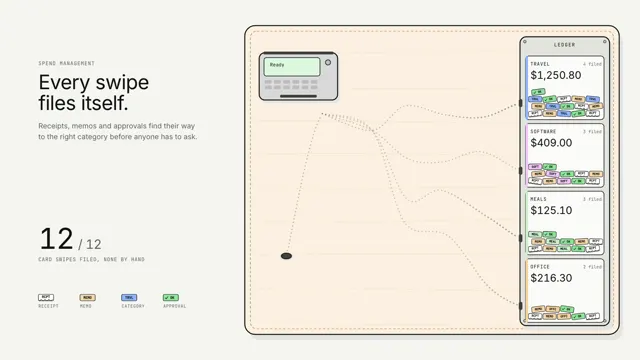
Spend that sorts itself
Every card swipe drops its paperwork on the table, and a line of ants carries each crumb down its own pheromone trail to the right ledger slot.
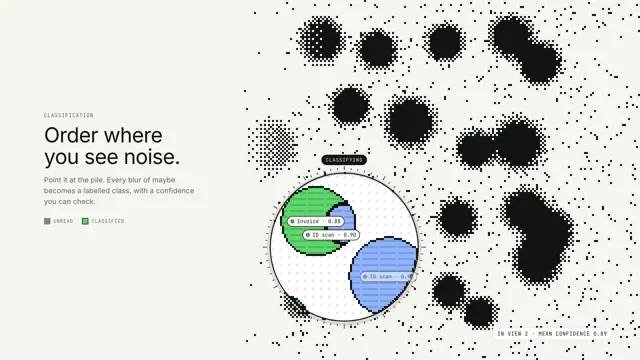
Order where you see noise
A lens drifts over a dithered field of maybes; inside it, every blob is classified, outlined and labelled.
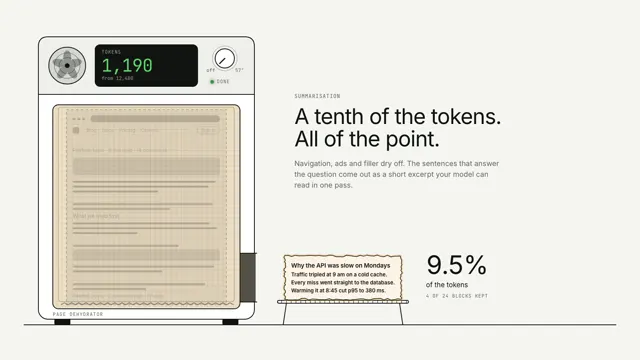
Summarisation: the page dehydrator
A whole web page is laid on a dehydrator tray; everything but the key sentences evaporates, the token counter falls by nine tenths, and a crisp excerpt slides out of the side.