Product demos / phone-stack
Know the moment money moves
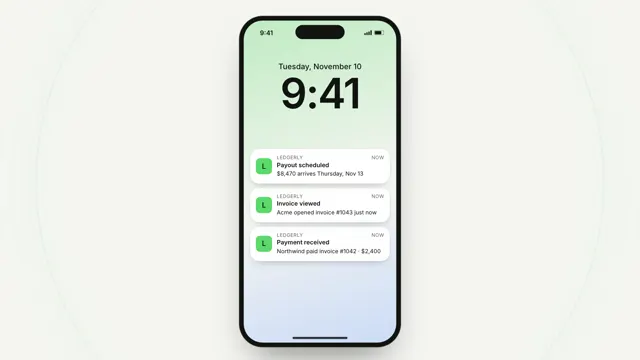
A real phone: notifications land on the lock screen with a ring of signal behind each, a tap opens the newest into the app, a swipe home clears it.
Drawn in Soft UI · follows any look See the matched set →
With Claude Code
With the skill installed, paste this in your project.
Use the site-motion skill to make the "phone-stack" scene for our site, in our brand.
Read our design tokens from this project (or run `site-motion theme <our url>`), write the content JSON with our real product nouns and numbers, then render mp4, webm and a poster. Check the loop seam before you finish.
From the command line
Draft your tokens, then copy the scene into your project. The first scene you add sets your site's look; every scene after it follows.
node bin/site-motion.mjs theme https://yoursite.com --out brand.json
node bin/site-motion.mjs add phone-stack --tokens brand.json
Your brand, as tokens
The theme playing above, as a token file the CLI and the skill accept.
content.json, the words in this scene
{
  "title": "Know the moment money moves",
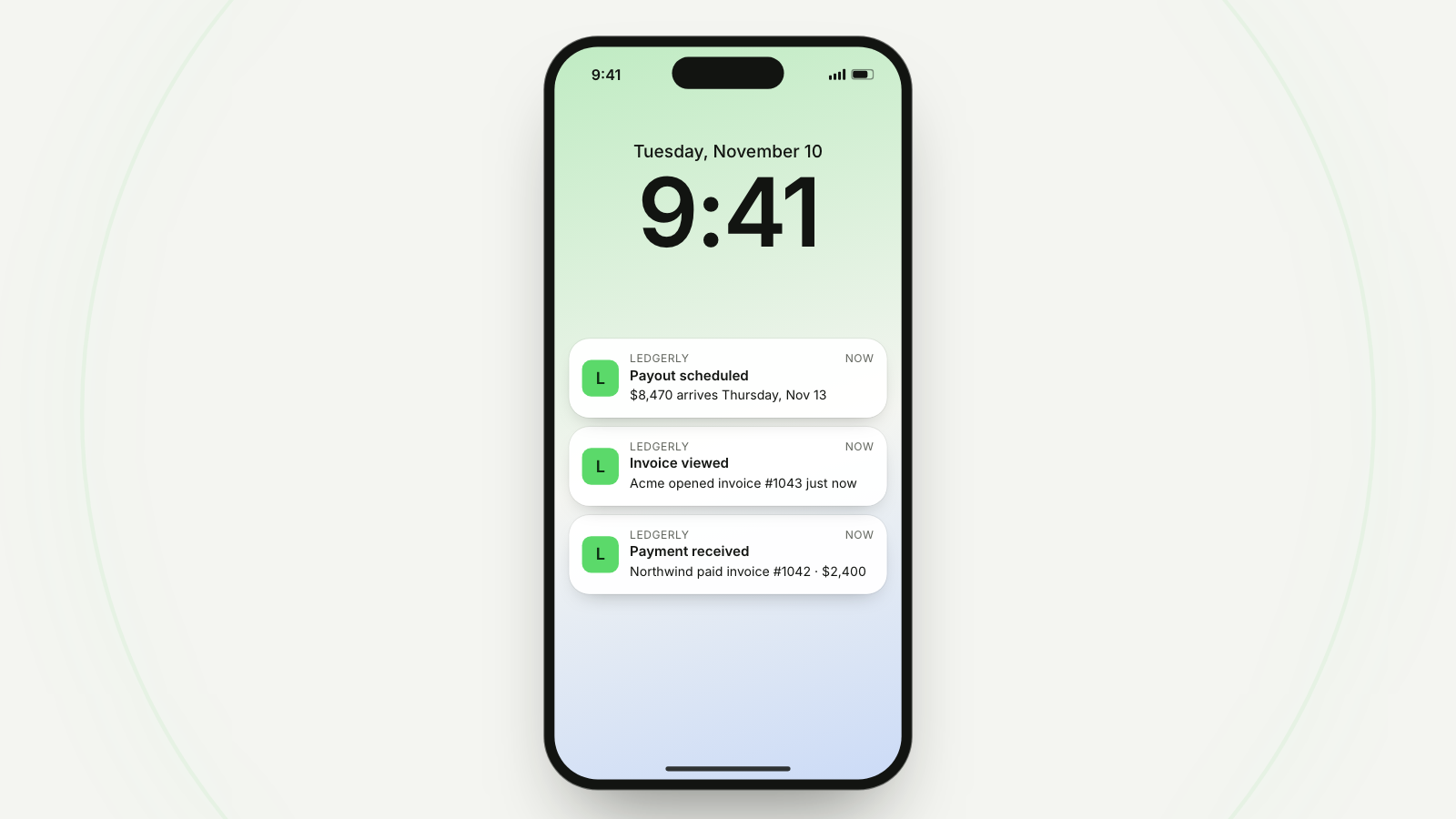
  "label": "A phone's lock screen at 9:41. Three notifications from Ledgerly arrive one after another, each sending a soft ring outward behind the phone: a payment received, an invoice viewed, a payout scheduled. A finger taps the newest, which opens into the app's payout screen: $8,470.00 on its way, initiated today, in transit, arriving Thursday. A swipe up returns to the lock screen and the notifications clear.",
  "time": "9:41",
  "date": "Tuesday, November 10",
  "app": {
    "text": "L",
    "name": "Ledgerly"
  },
  "now": "now",
  "notes": [
    {
      "at": 0.9,
      "title": "Payment received",
      "body": "Northwind paid invoice #1042 · $2,400"
    },
    {
      "at": 2.2,
      "title": "Invoice viewed",
      "body": "Acme opened invoice #1043 just now"
    },
    {
      "at": 3.5,
      "title": "Payout scheduled",
      "body": "$8,470 arrives Thursday, Nov 13"
    }
  ],
  "screen": {
    "back": "Payouts",
    "eyebrow": "Payout",
    "amount": "$8,470.00",
    "to": "To Business account ••4821",
    "steps": [
      {
        "label": "Initiated",
        "when": "Today, 9:41"
      },
      {
        "label": "In transit",
        "when": "Wed, Nov 11"
      },
      {
        "label": "Arrives",
        "when": "Thu, Nov 13"
      }
    ],
    "done": 1,
    "button": "View details"
  },
  "cursor": [
    {
      "at": 4.5,
      "show": true
    },
    {
      "at": 5.05,
      "to": "note-2",
      "anchor": [
        0.55,
        0.5
      ],
      "click": true
    },
    {
      "at": 5.5,
      "hide": true
    },
    {
      "at": 8.2,
      "to": "home",
      "move": 0.01
    },
    {
      "at": 8.3,
      "show": true
    },
    {
      "at": 8.95,
      "to": "home",
      "anchor": [
        0.5,
        0.2
      ]
    },
    {
      "at": 9.35,
      "to": "swipe",
      "move": 0.4
    },
    {
      "at": 9.5,
      "hide": true
    }
  ],
  "camera": [
    {
      "at": 4.2,
      "dur": 1.1,
      "zoom": 1.3,
      "focus": "note-2",
      "offset": [
        0,
        40
      ]
    },
    {
      "at": 5.6,
      "dur": 1.2,
      "zoom": 1.6,
      "focus": "steps",
      "offset": [
        0,
        -40
      ]
    },
    {
      "at": 7.7,
      "dur": 1.1,
      "zoom": 1
    }
  ],
  "times": {
    "open": 5.2,
    "close": 9.25,
    "clear": 9.9
  }
}
Files
default themeRendered frame-exact. For your brand, run the command on the left.
embed snippet
<iframe src="/phone-stack.html" title="Know the moment money moves" style="width:100%;aspect-ratio:16/9;border:0" loading="lazy"></iframe>
More product demos
all demos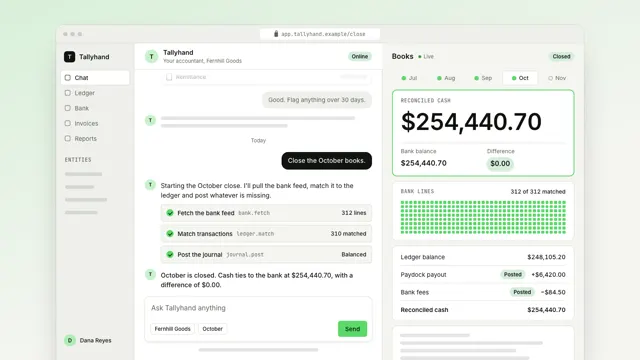
Close the month from one message
An AI agent closes the month in a chat: the reply streams, three tool calls open one at a time, and the books beside it roll to the reconciled total.
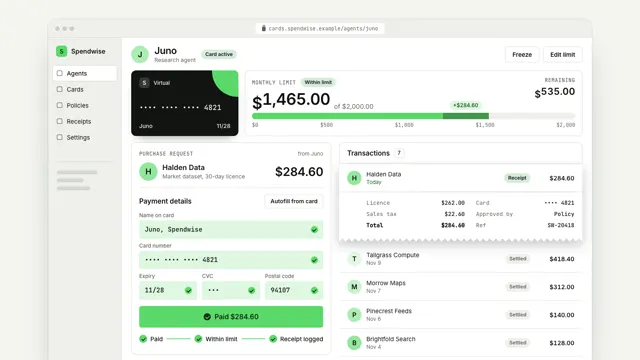
Give your agent a card with a limit
An agent's virtual card at work: a purchase request comes in, the checkout autofills with a masked card, the limit meter moves by exactly the amount and the receipt joins the list.
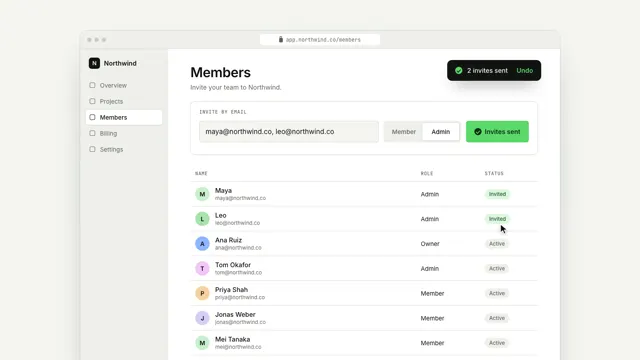
Invite your team in one step
A real product screen: the cursor types two emails, picks a role and sends; the camera pulls back as the team grows.