Product demos / agent-checkout
Give your agent a card with a limit
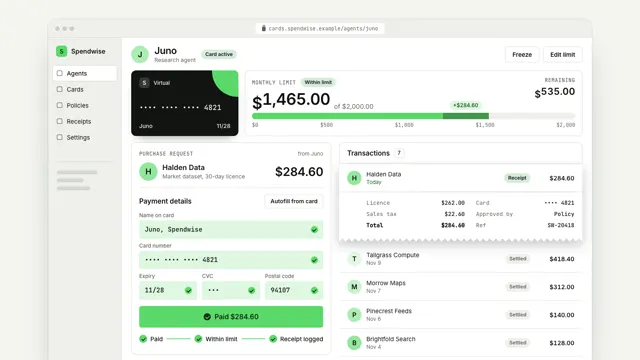
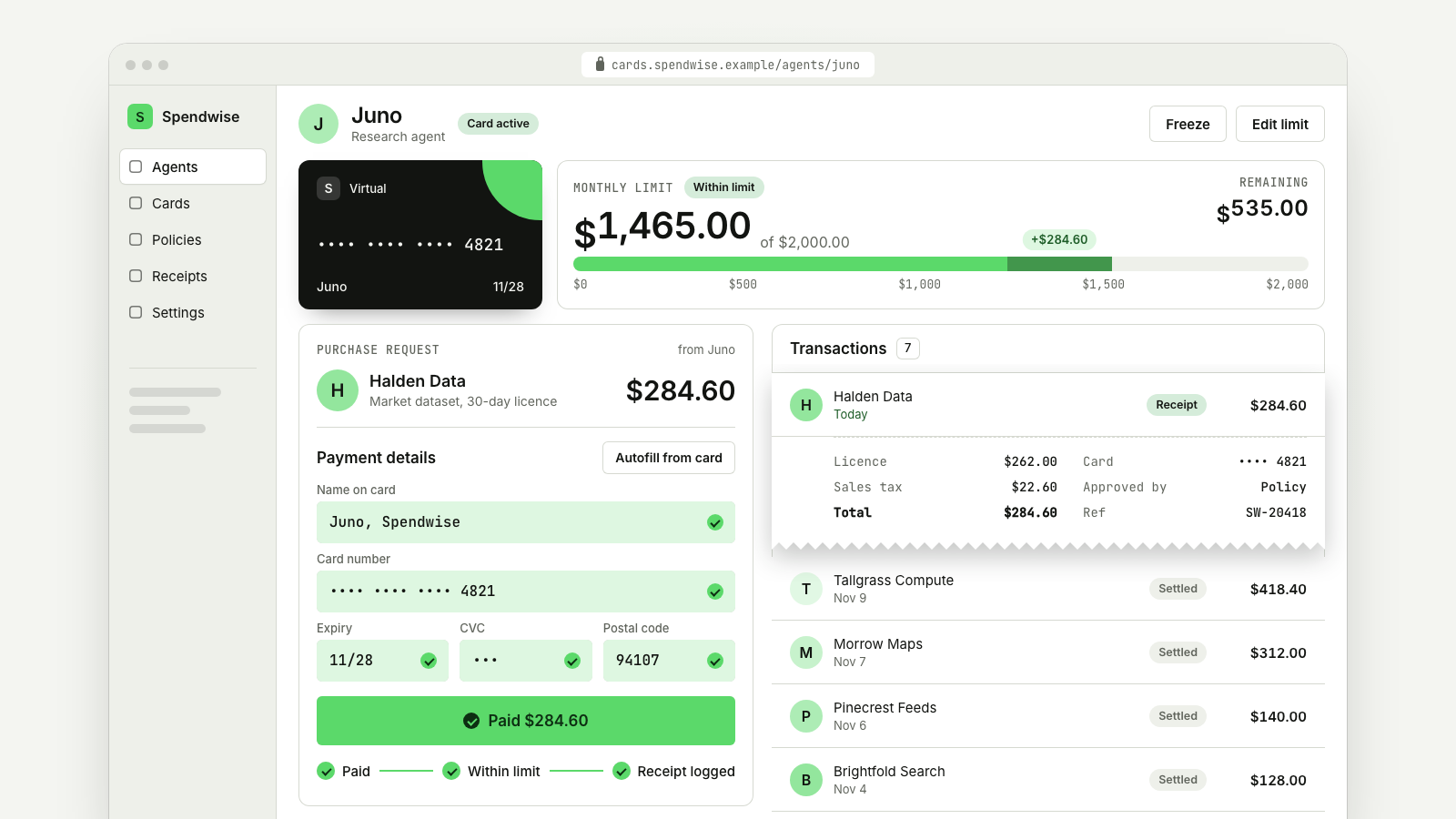
An agent's virtual card at work: a purchase request comes in, the checkout autofills with a masked card, the limit meter moves by exactly the amount and the receipt joins the list.
Drawn in Soft UI · follows any look See the matched set →
With Claude Code
With the skill installed, paste this in your project.
Use the site-motion skill to make the "agent-checkout" scene for our site, in our brand.
Read our design tokens from this project (or run `site-motion theme <our url>`), write the content JSON with our real product nouns and numbers, then render mp4, webm and a poster. Check the loop seam before you finish.
From the command line
Draft your tokens, then copy the scene into your project. The first scene you add sets your site's look; every scene after it follows.
node bin/site-motion.mjs theme https://yoursite.com --out brand.json
node bin/site-motion.mjs add agent-checkout --tokens brand.json
Your brand, as tokens
The theme playing above, as a token file the CLI and the skill accept.
content.json, the words in this scene
{
  "title": "Give your agent a card with a limit",
  "label": "A virtual card dashboard for an AI agent called Juno, in a browser window. A purchase request for $284.60 from Halden Data comes in and the spending meter marks that amount. The agent's pointer clicks Autofill and the camera moves in as the checkout form fills field by field with a masked card ending 4821. The agent clicks Pay. The camera pulls back, the meter moves by exactly $284.60 from $1,180.40 to $1,465.00 of a $2,000.00 limit, a receipt slides out of the checkout into the transactions list, and three steps tick off: paid, within limit, receipt logged.",
  "url": "cards.spendwise.example/agents/juno",
  "currency": "$",
  "brand": {
    "text": "S",
    "name": "Spendwise"
  },
  "nav": [
    "Agents",
    "Cards",
    "Policies",
    "Receipts",
    "Settings"
  ],
  "active": 0,
  "agent": {
    "name": "Juno",
    "role": "Research agent",
    "status": "Card active"
  },
  "actions": [
    "Freeze",
    "Edit limit"
  ],
  "card": {
    "kind": "Virtual",
    "number": "•••• •••• •••• 4821",
    "holder": "Juno",
    "expiry": "11/28"
  },
  "meter": {
    "label": "Monthly limit",
    "limit": 2000,
    "of": "of",
    "left": "Remaining",
    "ok": "Within limit"
  },
  "request": {
    "label": "Purchase request",
    "from": "from Juno",
    "idle": "No open requests",
    "merchant": "Halden Data",
    "item": "Market dataset, 30-day licence"
  },
  "form": {
    "title": "Payment details",
    "autofill": "Autofill from card",
    "pay": "Pay",
    "paid": "Paid",
    "fields": [
      {
        "label": "Name on card",
        "placeholder": "Full name",
        "value": "Juno, Spendwise"
      },
      {
        "label": "Card number",
        "placeholder": "Card number",
        "value": "•••• •••• •••• 4821"
      },
      {
        "label": "Expiry",
        "placeholder": "MM/YY",
        "value": "11/28"
      },
      {
        "label": "CVC",
        "placeholder": "CVC",
        "value": "•••"
      },
      {
        "label": "Postal code",
        "placeholder": "Postal",
        "value": "94107"
      }
    ]
  },
  "steps": [
    "Paid",
    "Within limit",
    "Receipt logged"
  ],
  "transactionsTitle": "Transactions",
  "transactions": [
    {
      "merchant": "Tallgrass Compute",
      "sub": "Nov 9",
      "status": "Settled",
      "amount": 418.4
    },
    {
      "merchant": "Morrow Maps",
      "sub": "Nov 7",
      "status": "Settled",
      "amount": 312
    },
    {
      "merchant": "Pinecrest Feeds",
      "sub": "Nov 6",
      "status": "Settled",
      "amount": 140
    },
    {
      "merchant": "Brightfold Search",
      "sub": "Nov 4",
      "status": "Settled",
      "amount": 128
    },
    {
      "merchant": "Quillstack",
      "sub": "Nov 3",
      "status": "Settled",
      "amount": 96
    },
    {
      "merchant": "Oakline Labs",
      "sub": "Nov 1",
      "status": "Settled",
      "amount": 86
    }
  ],
  "footer": "Cycle started Nov 1",
  "receipt": {
    "sub": "Today",
    "status": "Receipt",
    "lines": [
      {
        "k": "Licence",
        "v": 262
      },
      {
        "k": "Sales tax",
        "v": 22.6
      }
    ],
    "total": "Total",
    "meta": [
      {
        "k": "Card",
        "v": "•••• 4821"
      },
      {
        "k": "Approved by",
        "v": "Policy"
      },
      {
        "k": "Ref",
        "v": "SW-20418"
      }
    ]
  },
  "cursor": [
    {
      "at": 1,
      "show": true
    },
    {
      "at": 1.95,
      "to": "autofill",
      "click": true
    },
    {
      "at": 4.8,
      "to": "pay",
      "click": true
    },
    {
      "at": 5.75,
      "to": [
        640,
        500
      ]
    },
    {
      "at": 5.95,
      "hide": true
    }
  ],
  "camera": [
    {
      "at": 1.35,
      "dur": 1.15,
      "zoom": 1.55,
      "focus": "form",
      "anchor": [
        0.5,
        0.5
      ]
    },
    {
      "at": 5,
      "dur": 1.25,
      "zoom": 1
    }
  ],
  "views": {
    "compact": {
      "camera": [
        {
          "at": -1,
          "dur": 0.5,
          "zoom": 1,
          "focus": [
            668,
            450
          ],
          "fixed": true
        },
        {
          "at": 5.2,
          "dur": 0.9,
          "zoom": 1,
          "focus": [
            990,
            450
          ],
          "fixed": true
        },
        {
          "at": 6.5,
          "dur": 0.9,
          "zoom": 1,
          "focus": [
            1100,
            450
          ],
          "fixed": true
        },
        {
          "at": 11.8,
          "dur": 0.9,
          "zoom": 1,
          "focus": [
            668,
            450
          ],
          "fixed": true
        }
      ]
    }
  },
  "times": {
    "request": 0.55,
    "fields": [
      0.25,
      0.8,
      1.4,
      1.75,
      2.1
    ],
    "cps": 36,
    "spin": 0.6,
    "receipt": 1,
    "fold": 2.9,
    "reset": 11.8
  }
}
Files
default themeRendered frame-exact. For your brand, run the command on the left.
embed snippet
<iframe src="/agent-checkout.html" title="Give your agent a card with a limit" style="width:100%;aspect-ratio:16/9;border:0" loading="lazy"></iframe>
More product demos
all demos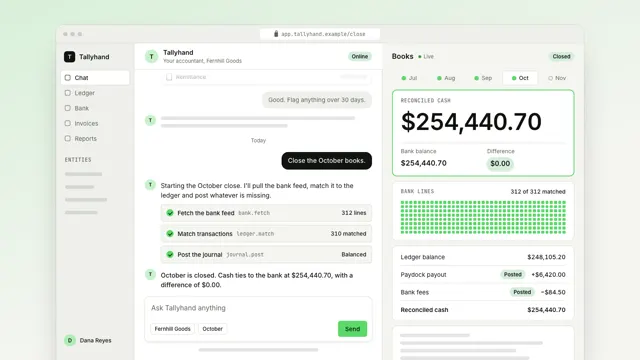
Close the month from one message
An AI agent closes the month in a chat: the reply streams, three tool calls open one at a time, and the books beside it roll to the reconciled total.
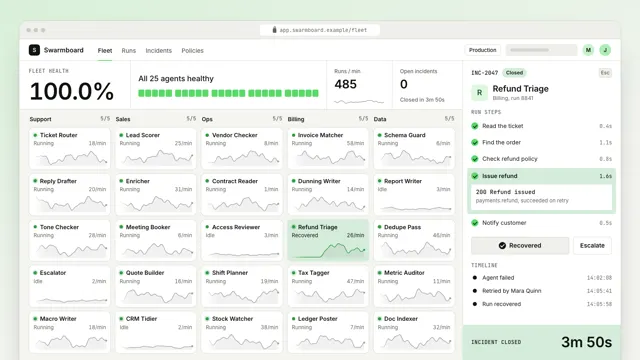
One failed agent, found and back in seconds
A live fleet of agents: one fails and lifts out of the grid, a person opens it, retries the failing step, and fleet health returns to what the tiles add up to.
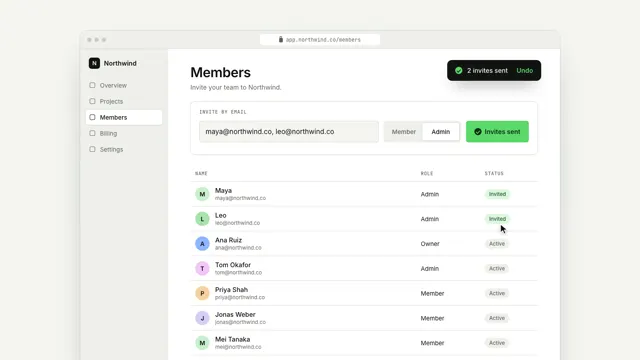
Invite your team in one step
A real product screen: the cursor types two emails, picks a role and sends; the camera pulls back as the team grows.