Scenes / automation / bloom-flow
Workflow in bloom
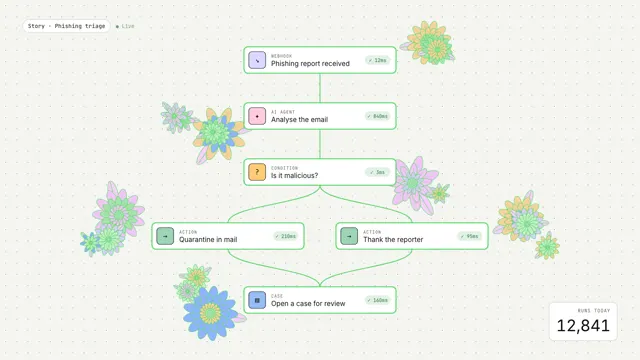
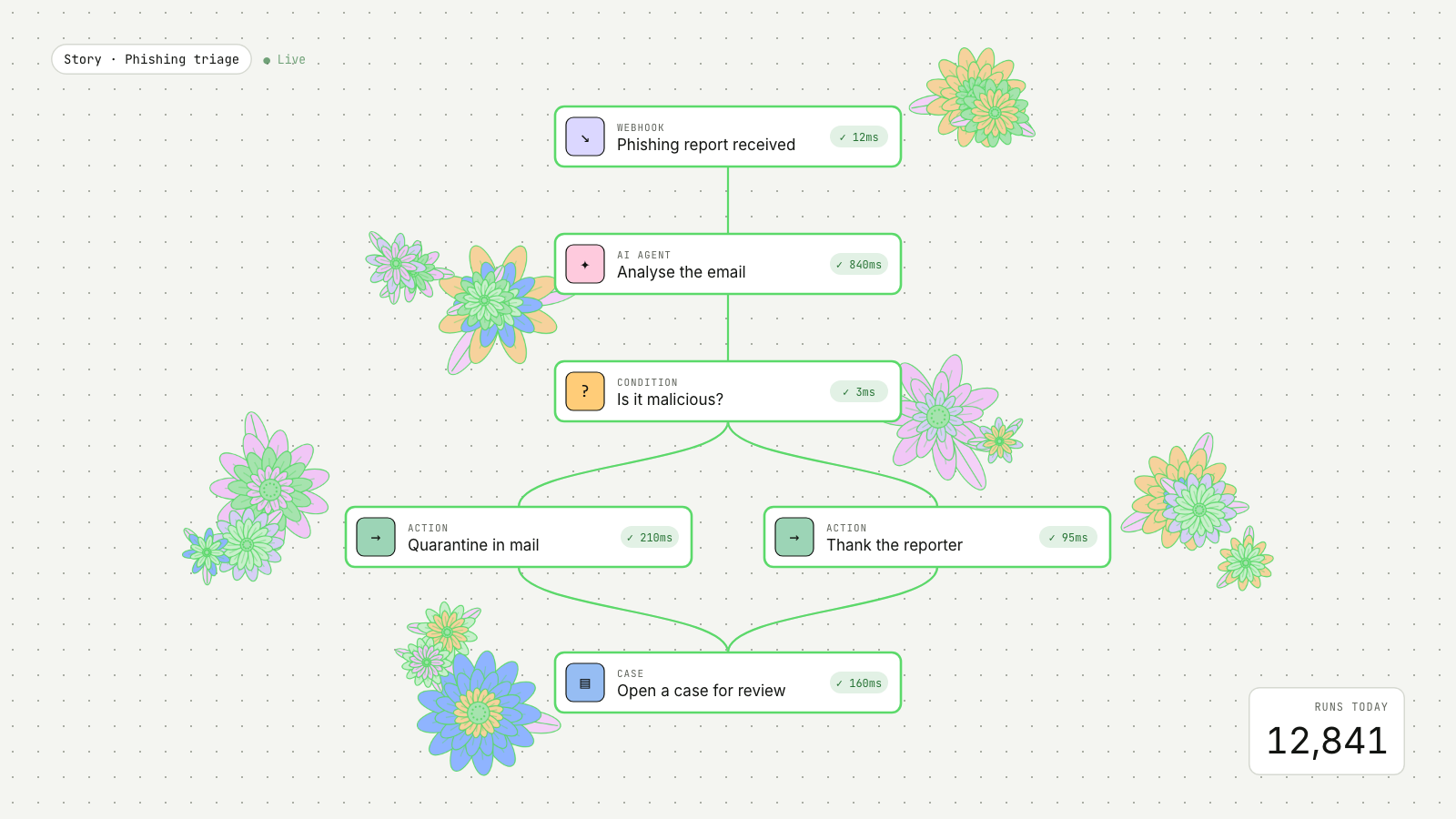
An event runs through a workflow graph and each step blooms into generative flowers.
Drawn in Field · follows any look See the matched set →
With Claude Code
With the skill installed, paste this in your project.
Use the site-motion skill to make the "bloom-flow" scene for our site, in our brand.
Read our design tokens from this project (or run `site-motion theme <our url>`), write the content JSON with our real product nouns and numbers, then render mp4, webm and a poster. Check the loop seam before you finish.
From the command line
Draft your tokens, then copy the scene into your project. The first scene you add sets your site's look; every scene after it follows.
node bin/site-motion.mjs theme https://yoursite.com --out brand.json
node bin/site-motion.mjs add bloom-flow --tokens brand.json
Your brand, as tokens
The theme playing above, as a token file the CLI and the skill accept.
content.json, the words in this scene
{
  "title": "Workflow in bloom",
  "label": "A security workflow on a dotted storyboard. A phishing report arrives, an AI agent analyses it, a condition checks the verdict, the email is quarantined and the reporter thanked, and a case is filed. Each step lights up with its run time as line-art flowers open beside it.",
  "seed": 9,
  "story": "Story · Phishing triage",
  "counter": {
    "label": "Runs today",
    "from": 12840
  },
  "kinds": {
    "webhook": {
      "label": "Webhook",
      "glyph": "↘",
      "colour": "#dbd7ff"
    },
    "agent": {
      "label": "AI agent",
      "glyph": "✦",
      "colour": "#fecadd"
    },
    "condition": {
      "label": "Condition",
      "glyph": "?",
      "colour": "#ffcc78"
    },
    "action": {
      "label": "Action",
      "glyph": "→",
      "colour": "#9cd4b6"
    },
    "case": {
      "label": "Case",
      "glyph": "▤",
      "colour": "#96bdf3"
    }
  },
  "nodes": [
    {
      "id": "in",
      "kind": "webhook",
      "label": "Phishing report received",
      "x": 800,
      "y": 150,
      "at": 0.7,
      "ms": 12,
      "side": 1,
      "blooms": 2
    },
    {
      "id": "ai",
      "kind": "agent",
      "label": "Analyse the email",
      "x": 800,
      "y": 290,
      "at": 1.9,
      "ms": 840,
      "side": -1,
      "blooms": 4
    },
    {
      "id": "if",
      "kind": "condition",
      "label": "Is it malicious?",
      "x": 800,
      "y": 430,
      "at": 3.1,
      "ms": 3,
      "side": 1,
      "blooms": 2
    },
    {
      "id": "q",
      "kind": "action",
      "label": "Quarantine in mail",
      "x": 570,
      "y": 590,
      "at": 4.3,
      "ms": 210,
      "side": -1,
      "blooms": 3
    },
    {
      "id": "r",
      "kind": "action",
      "label": "Thank the reporter",
      "x": 1030,
      "y": 590,
      "at": 4.6,
      "ms": 95,
      "side": 1,
      "blooms": 3
    },
    {
      "id": "c",
      "kind": "case",
      "label": "Open a case for review",
      "x": 800,
      "y": 750,
      "at": 5.9,
      "ms": 160,
      "side": -1,
      "blooms": 3
    }
  ],
  "edges": [
    [
      "in",
      "ai"
    ],
    [
      "ai",
      "if"
    ],
    [
      "if",
      "q"
    ],
    [
      "if",
      "r"
    ],
    [
      "q",
      "c"
    ],
    [
      "r",
      "c"
    ]
  ]
}
Files
default themeRendered frame-exact. For your brand, run the command on the left.
embed snippet
<iframe src="/bloom-flow.html" title="Workflow in bloom" style="width:100%;aspect-ratio:16/9;border:0" loading="lazy"></iframe>
Related scenes
all scenes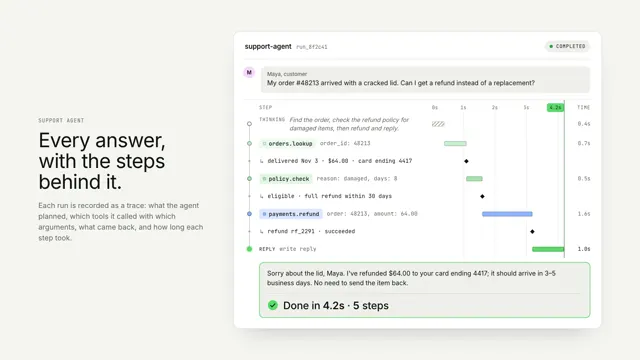
An agent run, traced
One agent run as a vertical trace: thinking, tool calls and results on a shared time axis, resolving into the answer.
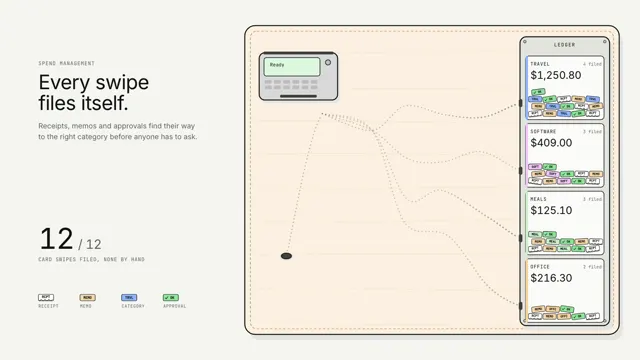
Spend that sorts itself
Every card swipe drops its paperwork on the table, and a line of ants carries each crumb down its own pheromone trail to the right ledger slot.
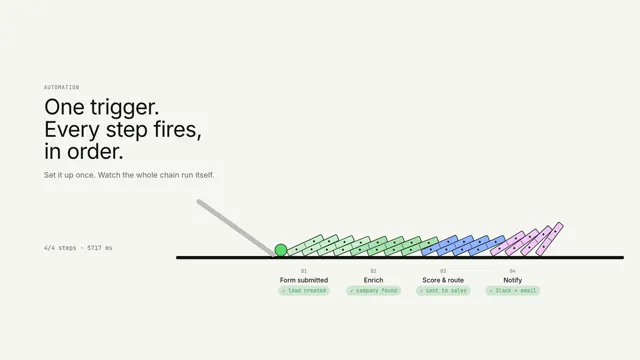
One trigger, every step
One trigger tips a chain of dominoes; each step lights as the wave reaches it.