Scenes / pricing / balance-scale / balance-scale--pricing
What you pay against what you get
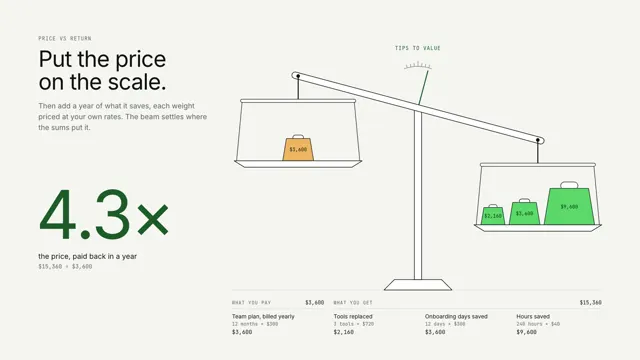
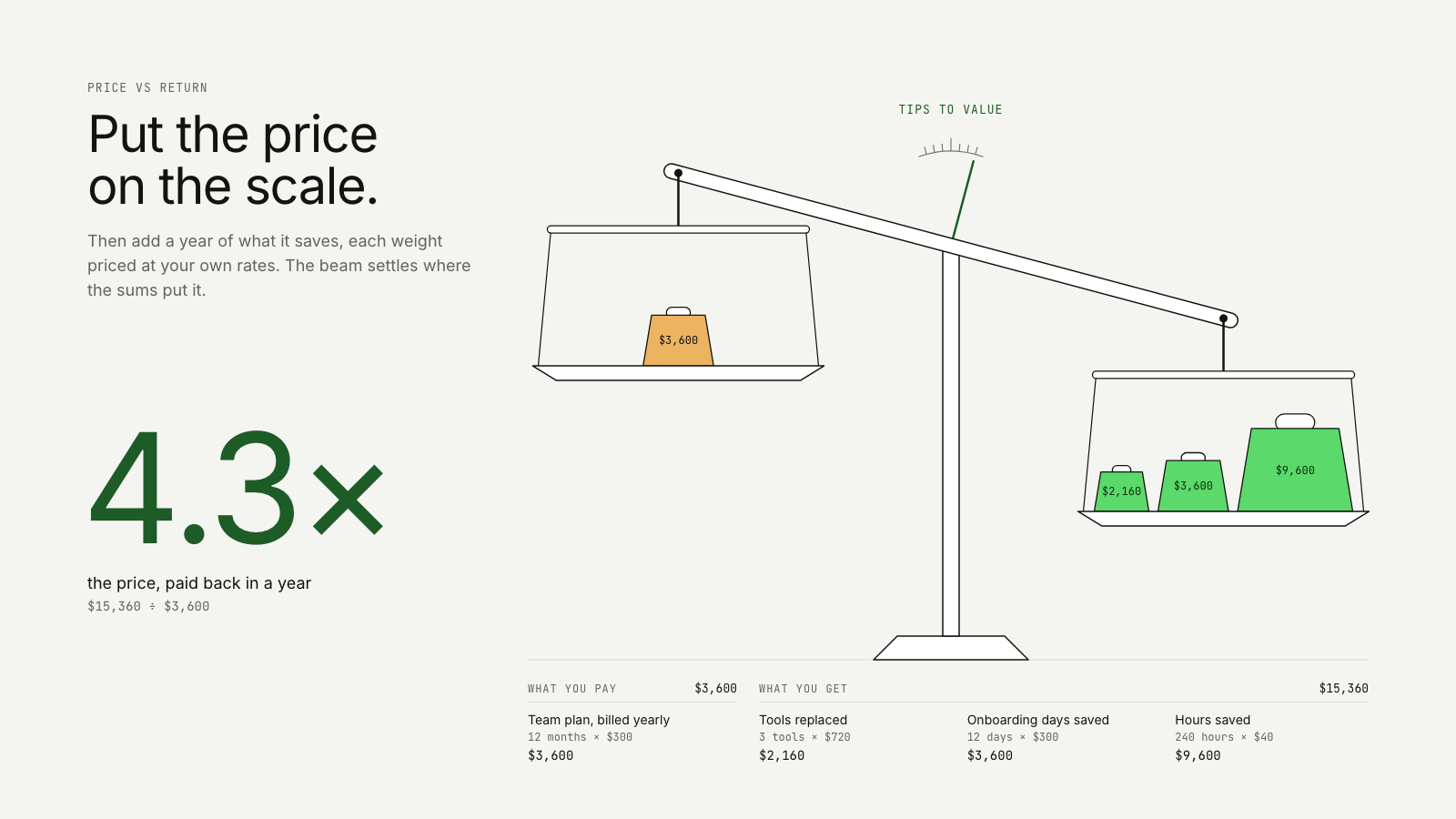
A price weight on one pan, value weights for hours saved and tools replaced dropped one by one on the other, until the beam tips to value and the return multiple lands on the sum.
The pricing take on Quality against cost: same story, built for a different job on the page.
Drawn in Outline · follows any look See the matched set →
With Claude Code
With the skill installed, paste this in your project.
Use the site-motion skill to make the "balance-scale--pricing" scene for our site, in our brand.
Read our design tokens from this project (or run `site-motion theme <our url>`), write the content JSON with our real product nouns and numbers, then render mp4, webm and a poster. Check the loop seam before you finish.
From the command line
Draft your tokens, then copy the scene into your project. The first scene you add sets your site's look; every scene after it follows.
node bin/site-motion.mjs theme https://yoursite.com --out brand.json
node bin/site-motion.mjs add balance-scale--pricing --tokens brand.json
Your brand, as tokens
The theme playing above, as a token file the CLI and the skill accept.
content.json, the words in this scene
{
  "title": "What you pay against what you get",
  "label": "One large hanging pan balance. A single weight for the price lands on the left pan: the Team plan, 12 months at $300, $3,600 a year, and the beam tips toward price. Three value weights then drop onto the right pan one by one, each sized by its yearly amount: tools replaced (3 tools at $720, $2,160), onboarding days saved (12 days at $300, $3,600) and hours saved (240 hours at $40, $9,600). The second weight carries the value past the price and the beam swings over to value; the third presses it down to its stop. The return multiple on the left steps up as each weight lands, 0.6x, 1.6x, then 4.3x: $15,360 of value for $3,600 paid.",
  "eyebrow": "Price vs return",
  "heading": "Put the price\non the scale.",
  "sub": "Then add a year of what it saves, each weight priced at your own rates. The beam settles where the sums put it.",
  "currency": "$",
  "payWord": "What you pay",
  "getWord": "What you get",
  "ratioLabel": "the price, paid back in a year",
  "verdict": {
    "value": "Tips to value",
    "price": "Tips to price"
  },
  "maxTilt": 15,
  "price": {
    "label": "Team plan, billed yearly",
    "qty": 12,
    "unit": "months",
    "rate": 300
  },
  "value": [
    {
      "label": "Tools replaced",
      "qty": 3,
      "unit": "tools",
      "rate": 720
    },
    {
      "label": "Onboarding days saved",
      "qty": 12,
      "unit": "days",
      "rate": 300
    },
    {
      "label": "Hours saved",
      "qty": 240,
      "unit": "hours",
      "rate": 40
    }
  ]
}
Files
default themeRendered frame-exact. For your brand, run the command on the left.
embed snippet
<iframe src="/balance-scale--pricing.html" title="What you pay against what you get" style="width:100%;aspect-ratio:16/9;border:0" loading="lazy"></iframe>
More ways to show this
the same story, one per job on the page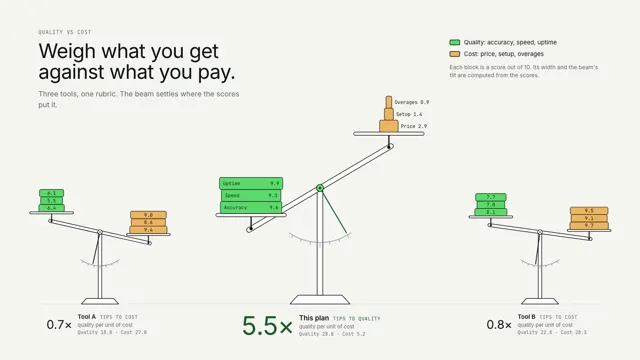
Related scenes
all scenes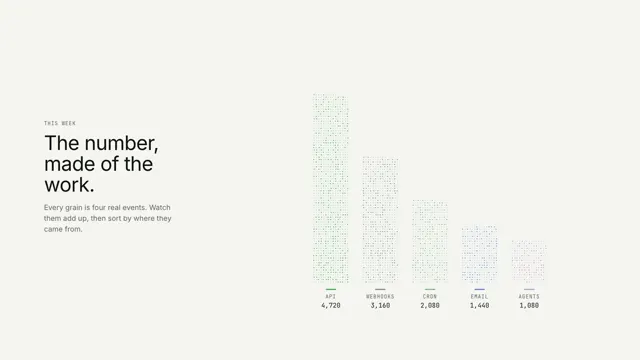
The number, made of the work
Grains of real events pour into the digits of the total, then sort themselves into one bar per source.
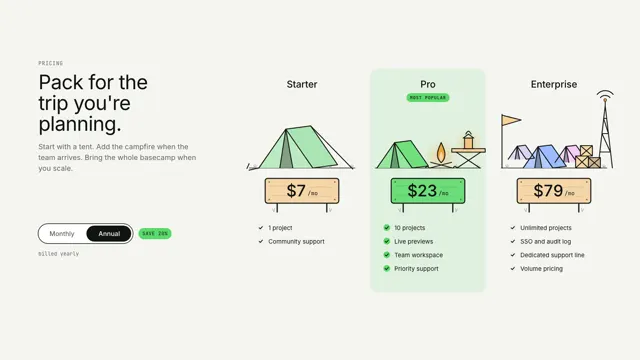
Gear tiers
Three plans drawn as camping kit in one ink line, a tent, a campsite and a basecamp, each item drawing on as its feature ticks in; a Monthly/Annual toggle rolls the prices on their wooden signs.
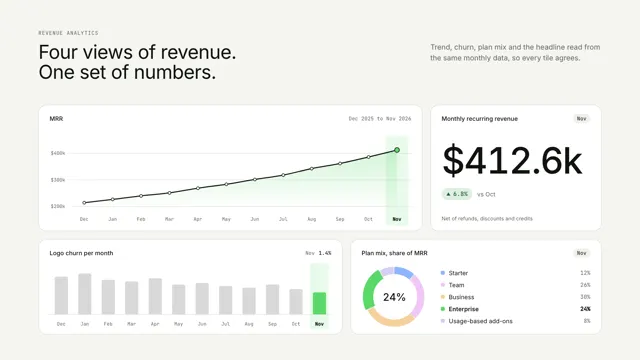
Revenue, four ways
Four KPI tiles read from one set of numbers; a highlighted period sweeps across them and the headline lands as the line reaches its last point.